
Lets join our machines to the domain. We are going to run through doing it on one machine and then repeat the steps for any additional machines.
First lets create a share on our client machine, so go to file explorer and select the C: drive and right click to create a new folder called Share.
Right click the new Share folder go Properties > Share, select share and then click Share.
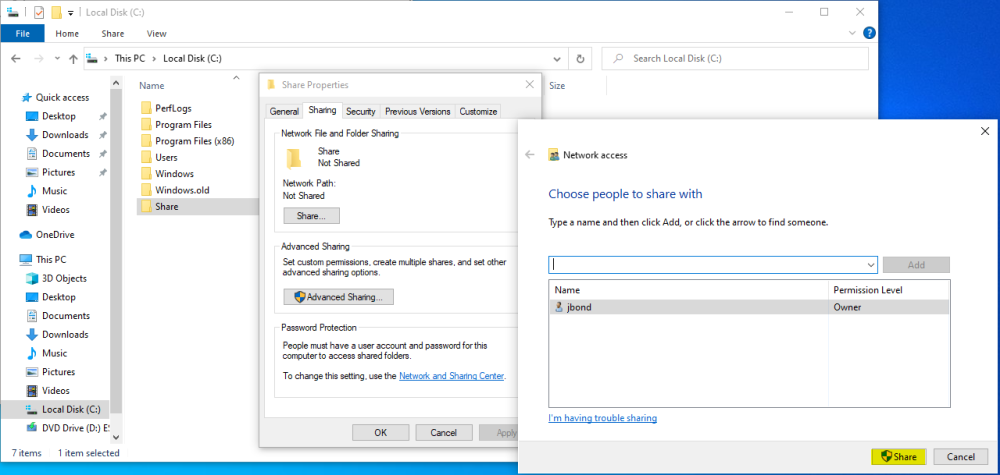
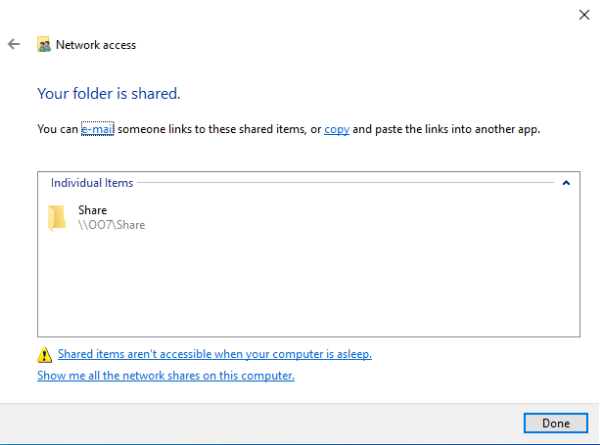
Our new folder should now be shared.
Now, go to the Start menu and navigate to the Access Work or School.
Select the Connect Icon +.
We are going to follow the prompts for connecting to a local Active Directory service (not using the Microsoft email login).
Domain: AGENTS
Username: fleiter
Password: pa$$w0rd!
Go ahead and skip the next prompt window asking about who will be using this computer regularly.
Select Restart Now.
Upon restart, login with the “other” account using the credentials:
NOTE: We are using the other account because the initial account that we created is the local account, whereas the other account will be using the AD accounts.
Credentials
jbond : P@sswOrd!After logging in, we will verify that we are connected to the domain by navigating back to the Domain Settings.
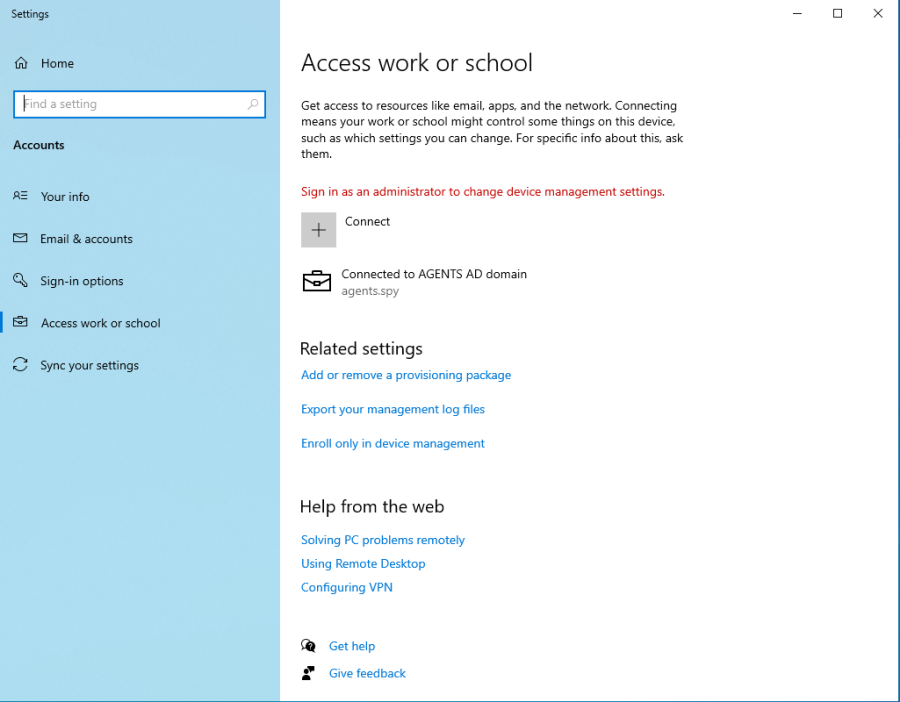
We have to make a few changes so lets sign out and sign back in as the administrator:
agents\administrator : PassWORD!#We are going to enable James Bond as a Local Administrator on this machine (we will also set up James Bond as a local admin on the mpenny machine as well).
Once logged in, navigate to Computer Management.
Drill down into Local Users and Groups > Groups and then double click Administrators.
Select Add..
In the Enter the object names to select, type the username jbond and then click Check Names to autofill and verify. Once Autofilled, select OK.
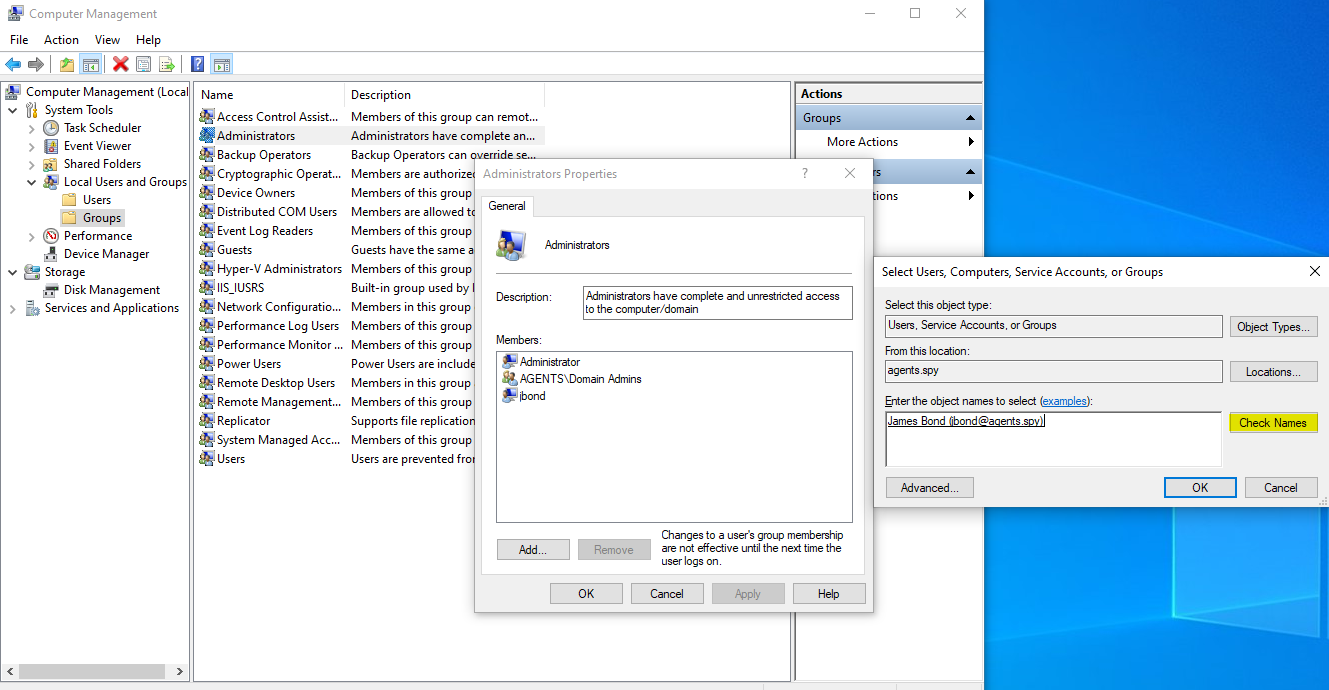
Verifying the addition of jbond.
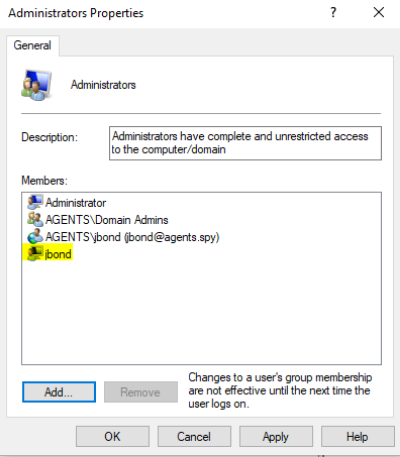
Now rinse and repeat on the other machine.
On the mpenny machine, we are going to make jbond AND mpenny local administrators.
NOTE: We are making a single user a local admin on multiple machines in order to leverage, and pivot through the network.